UniOne Email HTML Builder
Create attractive and memorable email templates with UniOne. Get access to the library with more than 150 eye-catching email examples for any occasion, easily transform existing HTML code into a visual editable layout and enjoy comprehensive AI email design tools to craft campaigns 3 times faster.
Convert More Customers With An Email Design Platform
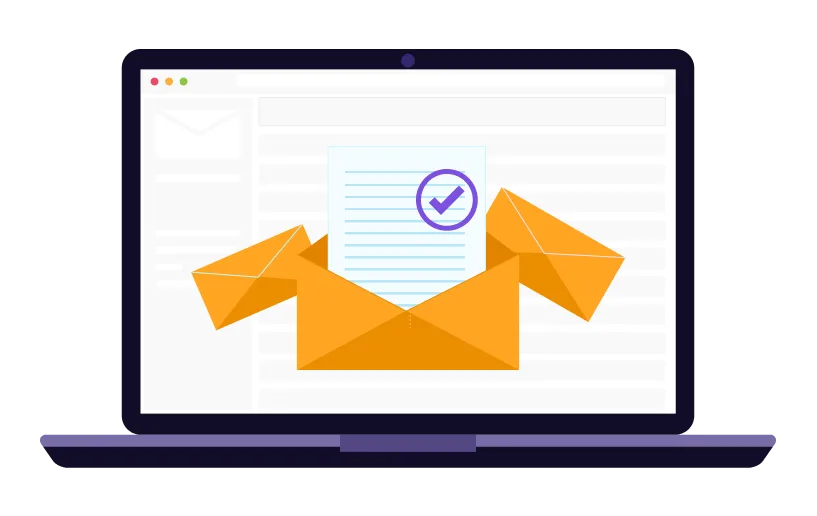
UniOne’s HTML email builder is an all-in-one email design tool that allows you to promote all the benefits of your product or service easily and clearly. With our intuitive email builder, crafting highly converting campaigns becomes a real pleasure saving you time and bringing desired outcomes.
Work On Any Device
As a SaaS solution, UniOne’s email design tools can be accessed via web browser from any device. Yet, to get the most from your experience with our online email creator, we recommend using a PC, laptop, or tablet with larger display screens to comfortably enjoy the online email-creating process.
How The Online Email Creator Works
Choose a predesigned email template from our extensive library, or create one from scratch using one of our email design tools. You can use either an AI-powered HTML email builder that also supports visual drag-n-drop composing, or try out the earlier version of our no-code editor.
01/06
Email Design Platform – An Ideal Solution For:

Marketers
Make your emails shine with the help of AI — craft better subject lines, personalize content, and analyze campaign performance to connect with your audience like never before.
Small Business Owners
Save time and energy with easy-to-use templates, drag-and-drop tools and AI-powered features in email HTML builder that make email marketing a breeze.
E-Commerce Stores
Drive more sales with smart features like automated product suggestions, cart reminders, and tailored discounts that feel personal to your customers.
Designers
Unleash your creativity with flexible layouts, unique AI-generated visuals and the ability to craft stunning, responsive emails effortlessly.
Developers
Combine the best of both worlds — switch seamlessly between coding and visual tools to create customized emails without hassle.
Agencies
Deliver top-notch email campaigns for multiple clients faster with AI tools that save you time and maximize results, leaving your clients impressed.
No Code Email Builder Features
Email Builder Used By Top Brands
Reviews

FAQ
An email design platform benefits small business owners by simplifying the email marketing process, saving time and resources. With user-friendly drag-and-drop tools and customizable templates, it enables anyone to create professional, branded emails without technical skills or hiring experts.
Start Using the UniOne Email Builder in 5 Easy Steps:
1. First of all, you need to sign up. It’s free and takes less than 3 minutes.
2. Once you have an account at UniOne, choose the Toolsin the left menu, and then go to the Templates section.
3. Press the big “+” button at the top of the page near the “Templates” heading.
4. Choose the template design according to your goals and preferences, or select the “From scratch” option.
5. Once the template is chosen, the AI editor will launch automatically. The alternative “From scratch” option allows you to choose which email design tool to use – the AI HTML email editor or no-code email builder. Try both to see which works best for you.
Enjoy!
1. First of all, you need to sign up. It’s free and takes less than 3 minutes.
2. Once you have an account at UniOne, choose the Toolsin the left menu, and then go to the Templates section.
3. Press the big “+” button at the top of the page near the “Templates” heading.
4. Choose the template design according to your goals and preferences, or select the “From scratch” option.
5. Once the template is chosen, the AI editor will launch automatically. The alternative “From scratch” option allows you to choose which email design tool to use – the AI HTML email editor or no-code email builder. Try both to see which works best for you.
Enjoy!
Yes, the UniOne offers responsive email templates that automatically adjust to look great on any device, whether it’s a desktop, tablet, or smartphone. These templates are designed to ensure your emails maintain a professional appearance and are easy to read, enhancing the user experience and increasing engagement rates across all screen sizes. In addition, you can preview how your email design will appear on different devices at any time and edit it accordingly if necessary.
Using a no-code email builder offers several advantages over traditional HTML coding:
1. Ease of use: drag-and-drop tools and pre-designed templates make creating emails accessible to everyone, even without coding knowledge.
2. Faster development: build and deploy emails in minutes, compared to the time-consuming process of manual HTML coding.
3. Responsive design: built-in email design tools ensure emails look great on all devices without the need for extensive testing or additional coding.
4. Creative freedom: customize layouts, fonts, and visuals with intuitive tools that don't require technical expertise.
5. Reduced errors: no need to troubleshoot coding issues, as the platform ensures functionality and design consistency.
6. Cost-effective: save on hiring developers or designers, as the platform provides everything needed to create professional emails.
1. Ease of use: drag-and-drop tools and pre-designed templates make creating emails accessible to everyone, even without coding knowledge.
2. Faster development: build and deploy emails in minutes, compared to the time-consuming process of manual HTML coding.
3. Responsive design: built-in email design tools ensure emails look great on all devices without the need for extensive testing or additional coding.
4. Creative freedom: customize layouts, fonts, and visuals with intuitive tools that don't require technical expertise.
5. Reduced errors: no need to troubleshoot coding issues, as the platform ensures functionality and design consistency.
6. Cost-effective: save on hiring developers or designers, as the platform provides everything needed to create professional emails.
UniOne is free and easy to start

Our users’ satisfaction is our primary value. Thus, we provide each newcomer with a 4-month free trial, including 6,000 monthly emails, to test our capabilities. Our round-the-clock customer care team is ready to assist you with any matters at each step of your journey with UniOne. When you feel ready to upgrade, choose any other tariff from the ones available or contact our sales manager to discuss a customized plan.