
 28 september 2026, 08:11
Resend has quietly become the default email API for a huge chunk of the React and Next.js world. Clean docs, a genuinely nice developer experience, React Email built in — it’s easy to see why teams reach for it first. But it’s not the only option, and depending on how you’re sending mail, it might not stay the right one once you’re past a side project. This guide walks through the strongest Resend alternatives for transactional email, including where UniOne’s email API fits if you want something close to Resend’s simplicity without the pricing jumps or the US-only data retention.
Quick answer: the strongest Resend alternatives in 2026 are UniOne (predictable, one-bill pricing), SendGrid (high volume and enterprise compliance), Postmark (deliverability-first), Mailgun (routing and validation), Amazon SES (lowest raw cost), and MailerSend (EU-hosted with a real free tier). Which one fits depends on which of Resend’s trade-offs is actually the dealbreaker for you.
Why Teams Start Looking for a Resend Alternative
Resend earned its reputation honestly: a clean REST API, first-class React Email templates, and a free tier that’s actually good enough to ship something real on. Still, a handful of things push teams to shop around once they’ve grown past the early stage.
Pricing is one of them, and it hasn’t always moved in the customer’s favor. Resend’s Scale tier saw published prices double on some volume bands after October 2024 — the 200,000-emails/month tier, for instance, went from $80 to $160 a month practically overnight. That’s not really a knock on Resend’s math; vendors reprice, and Resend isn’t unusual there. It’s just enough of a data point that “predictable pricing” comes up again and again in what teams say they want from an alternative.
There’s also the billing split to consider. Resend prices transactional sending by volume and marketing or contact-based sending on a completely separate ladder, so a team using both features ends up juggling two subscriptions instead of one. And the free plan, while generous on paper at 3,000 emails a month, caps out at 100 a day — plenty for testing, tight the moment you’re running even a small app in production. Data residency rounds out the list: Resend can send from an EU region, but the account data, metadata, and logs all stay in the US, which rules it out for some EU-first teams no matter how good the API feels.
None of that makes Resend a bad choice. For plenty of React and Next.js teams it’s still the fastest path to a working integration. But if one of the points above is a dealbreaker for your project, here’s what else is worth a look.
What to Weigh Before You Switch
A few criteria matter more than the marketing copy on any given landing page:
- Pricing model and predictability — per-email tiers, contact-based billing, pay-as-you-go, and whether the vendor has a track record of changing terms without much warning
- Free tier limits — daily caps, monthly caps, and how long the free tier actually lasts before you’re forced onto a paid plan
- Transactional vs. marketing billing — whether you’re managing one bill or two
- Deliverability infrastructure — dedicated IP options, warm-up support, and how bounces and complaints get handled
- Developer experience — API design, SDK language coverage, webhook support, and template tooling (Resend’s React Email is a genuine edge here; not many alternatives match it natively)
- Data residency and compliance — EU hosting, GDPR, SOC 2, HIPAA, depending on what your customers or legal team require
If you’re weighing these against a broader field than just Resend, UniOne’s own rundown of what to look for in an email API and the wider transactional email services comparison cover a lot of the same ground from a different angle.
Email Delivery or Broader Messaging?
Before comparing products, separate two categories that often get lumped together.
Email delivery infrastructure gets a message into an inbox. It provides an API or SMTP relay, domain authentication (SPF, DKIM, DMARC), bounce and complaint handling, and delivery statistics. UniOne, Postmark, SendGrid, Mailgun, Amazon SES, and ZeptoMail belong here, and so does Resend. Several of them also send bulk or marketing email: Postmark through Broadcast streams, UniOne through the same API it uses for transactional mail, and SendGrid through a separate product. In this category, your application or CRM still decides who gets which message and when.
Lifecycle and notification orchestration sits a layer above delivery. It decides when a message goes out, based on user behavior or account state, often across several channels. Brevo, Customer.io, and Dreamlit belong here. Brevo takes a campaign-style approach, Customer.io builds cross-channel behavioral workflows, and Dreamlit triggers workflows from database changes.
If you need reliable delivery for password resets and receipts, compare the first group. If email is one part of a broader engagement strategy, give the second group more attention.
For background on how the two message types differ operationally, see UniOne’s guide to transactional email versus marketing email.
Resend Alternatives Compared
All prices are USD list prices from official vendor pages, checked September 25, 2026, excluding tax and annual discounts. Providers in this space change plans several times a year, so reverify before you commit.
Overview
| Platform | Best fit | Sending interface | Built-in triggers | Pricing basis | Dedicated IP |
|---|---|---|---|---|---|
| Resend baseline |
Developers wanting a simple API and React Email templates | REST API, SMTP | Yes: event triggers, conditions, delays | Free 3K, Pro $20/50K, Scale $90/100K | $30/mo, Scale only, over 3,000/day |
| UniOne | Transactional plus bulk sending through one API | Web API, SMTP | No. Triggers live in your app, CRM, or CDP | Monthly plans from $6, overage up to $0.75/1K | Add-on: $40/mo + $20 setup |
| Postmark | Transactional-first senders who also send broadcasts | REST API, SMTP | No | All plans include 10K; tier sets the overage rate | From $50/mo; Pro+, 300K+ emails/mo |
| SendGrid | Teams wanting one vendor for API sending and campaigns | REST API, SMTP | Not in the Email API; campaigns are separate | Essentials from $19.95/50K | 1 included on Pro and Premier |
| Mailgun | Apps that send and receive email | REST API, SMTP | No. Inbound Routes are routing rules, not sequences | Basic $15/10K to Scale $90/100K | 1 on Scale; extra IPs $59/mo |
| Amazon SES | High-volume senders comfortable with AWS | API, SMTP | No | Metered: $0.10/1K à la carte, $0.16/1K Essentials | $24.95/IP/mo; managed $15/mo + $0.08/1K |
| Brevo | Marketing automation and transactional email in one account | API, SMTP, visual builder | Yes: multi-channel, 2,000-contact cap on Free and Starter | By email volume, contact caps per tier | $251/year; Professional and Enterprise |
| ZeptoMail | Transactional-only senders wanting prepaid credits | API, SMTP | No | Credits: 1 credit = 10K emails, valid 6 months | Annual add-on, some data centers only |
| Customer.io | Cross-channel behavioral messaging | Visual workflow builder, API | Yes: cross-channel journeys | By stored profiles: from $100/mo for 5K profiles | Not listed; Premium adds managed deliverability |
| Dreamlit | Apps where database state should trigger the send | Plain-language builder on Postgres | Yes: database-triggered workflows with delays and branching | Free 3K, Pro $20/30K, Scale $99/100K | Enterprise add-on |
UniOne
Fit and capabilities. UniOne sends transactional and bulk or marketing email through a Web API and an SMTP relay. The Standard plan includes SPF, DKIM, and DMARC authentication, address suppression management, instant webhooks, and delivery, bounce, spam, and open rates. It also keeps logs for up to 45 days and analytics data for up to 100 days (UniOne pricing). For templates, you get two template engines, more than 200 ready-made templates, a drag-and-drop builder, and an AI-powered HTML editor. The Projects feature gives each product, brand, or region its own API key and isolated data inside one account.
What it doesn’t do. UniOne is a sending platform, not a marketing automation suite. It doesn’t manage recipient lists inside the platform. Recipient data arrives with each API request, and the triggers and sequences that decide who gets which email live in your CRM, CDP, or application code (UniOne email automation). UniOne can send a message right after a user action or schedule it for a set time.
Pricing. A four-month trial includes 6,000 emails and 100 address validations a month. After the trial, the same plan costs $4/month for 6,000 emails. Standard plans start at $6/month. Extra emails cost up to $0.75 per 1,000, falling to $0.30 per 1,000 at the 3M tier. Dedicated IPs are an add-on at $40/month plus a $20 one-time setup fee per IP (UniOne pricing).
Trade-off. There’s no visual automation builder or contact database, so teams without a CRM or CDP must build their sequencing logic themselves. The list of ready-made integrations is short: Bloomreach, Drupal, Fast Track CRM, Make, and Zapier, plus SDKs for PHP, Ruby, and C#.
Pros:
- One API and account for transactional and bulk sending
- 45-day logs and 100-day analytics on the standard plan
- Overage rate drops as volume grows
Cons:
- Automation requires your own CRM, CDP, or code
- A dedicated IP is a paid add-on
Postmark
Fit and capabilities. Postmark is built around transactional email, but it also sends one-to-many email, such as product announcements and newsletters, through Broadcast Message Streams. Postmark runs broadcast traffic on infrastructure separate from its transactional streams (Postmark Message Streams). Plans allow from 15 to an unlimited number of broadcast streams. Postmark also includes automatic suppression, granular bounce data, event webhooks, responsive templates with an editor, and inbound processing on the Pro and Platform plans (Postmark pricing). Postmark describes its deliverability as industry-leading and publishes delivery statistics for major inbox providers on its status page; treat that as the vendor’s own positioning.
Pricing. The Free plan includes 100 emails a month with no overage. Basic ($15/month), Pro ($16.50/month), and Platform ($18/month) each include 10,000 emails, with extra emails at $1.80, $1.30, and $1.20 per 1,000 respectively. Data retention defaults to 45 days, and custom retention costs from $5/month on Pro and above. Dedicated IPs start at $50/month per IP, for Pro plans and above and for senders of 300,000+ emails a month. DMARC monitoring costs from $14/month per domain (Postmark pricing).
Trade-off. Every paid tier includes the same 10,000 emails, so the overage rate decides which tier is cheapest. At 50,000 emails a month, Platform costs $66 while Basic costs $87. Triggers and sequences stay in your application.
Pros:
- Broadcast and transactional traffic run on separate streams
- Straightforward, well-documented API
- Inbound processing on Pro and above
Cons:
- No campaign builder or automation
- Dedicated IPs require 300,000+ emails a month
SendGrid
Fit and capabilities. SendGrid, part of Twilio, splits into an Email API and a separate Marketing Campaigns product. The Email API includes dynamic templates with an editor and testing, suppression management, event webhooks, and reputation and delivery visibility (SendGrid pricing).
Pricing. The Email API’s free option is a 60-day trial, not a permanent plan. Essentials costs $19.95/month for 50,000 emails ($0.00133 per extra email) or $34.95/month for 100,000 ($0.00088 per extra email). Pro starts at $89.95/month for 100,000 emails ($0.00110 per extra email) and includes one dedicated IP and 2,500 address validations. Premier is custom-priced (SendGrid pricing sheet). Marketing Campaigns is priced separately.
Trade-off. Dedicated IPs start on Pro, and Essentials allows one teammate. Running both delivery and campaigns means configuring two products.
Pros:
- Low entry price for 50,000 to 100,000 emails a month
- One dedicated IP included on Pro
- Phone support from Pro
Cons:
- No permanent free plan for the Email API
- Campaigns and API sending are separate products
Mailgun
Fit and capabilities. Mailgun, owned by Sinch, pairs a REST API and SMTP relay with rule-based inbound Routes, suppression management, and bounce classification. A template builder and template API are available from the Foundation plan (Mailgun pricing).
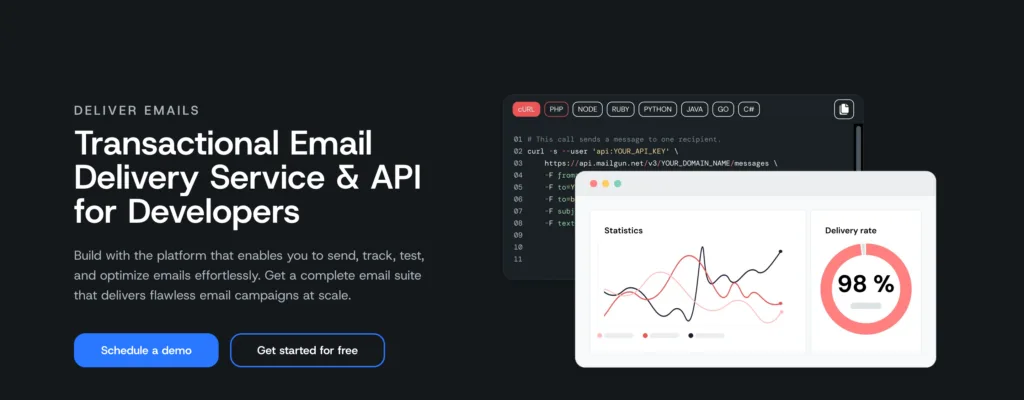
Pricing. Plans as listed on the Mailgun pricing page:
- Free: 100 emails a day, 1 custom sending domain, 1-day log retention, 1 inbound route
- Basic: $15/month for 10,000 emails, extra emails from $1.80 per 1,000, 1-day log retention, 5 inbound routes
- Foundation: $35/month for 50,000 emails, extra emails from $1.30 per 1,000, 5-day log retention, full inbound routing, address validations as an add-on at $1.20 per 100
- Scale: $90/month for 100,000 emails, extra emails from $1.10 per 1,000, 30-day log retention, 5,000 validations, one dedicated IP, live phone and chat support
Additional dedicated IPs cost $59/month, and Foundation and Scale include a free first month.
Trade-off. Logs and bounce classification last only one day on Free and Basic, which makes debugging hard on the entry plans.
Pros:
- Inbound routing rules evaluated on Mailgun’s side
- Competitive price at 50,000 and 100,000 emails
- One dedicated IP included on Scale
Cons:
- One-day log retention on the entry plans
- Validations are an add-on until Scale
Amazon SES
Fit and capabilities. SES is AWS sending infrastructure, and it does have a dashboard. The console’s Account dashboard shows sends, rejects, bounces, and complaints, along with your daily quota, maximum send rate, and account health. A separate Reputation metrics page shows historic bounce and complaint rates, which you can break down by configuration set (SES console monitoring).
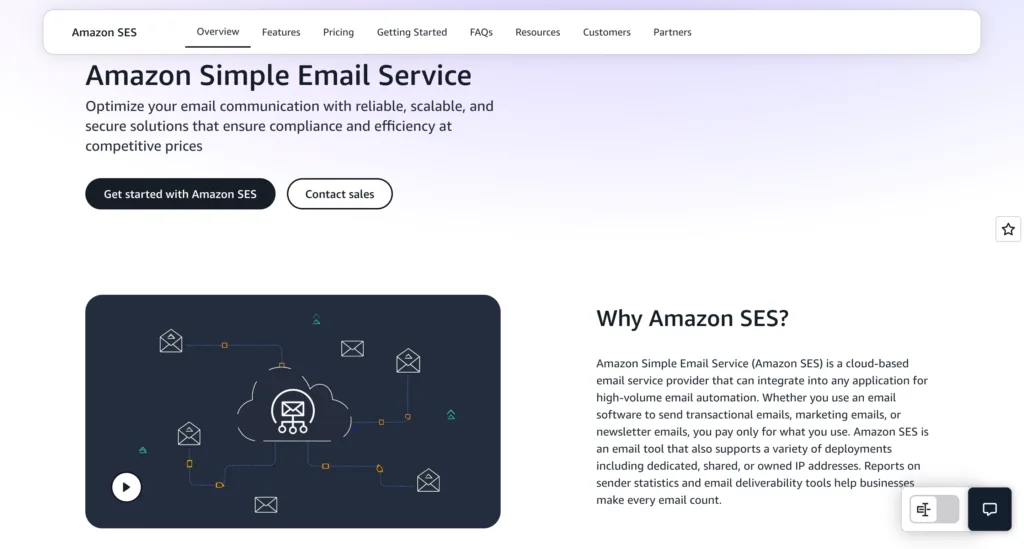
Specific limitations:
- Short, aggregated charts. The dashboard charts cover at most the last 14 days, aggregated hourly, and show account-level rates rather than individual messages.
- Per-message tracking is DIY. To see what happened to a specific message, you publish events (deliveries, bounces, complaints, opens, clicks, delivery delays) through a configuration set to SNS, CloudWatch, Firehose, or EventBridge (SES event destinations). You then build the storage, alerting, and search yourself, and those AWS services bill separately.
- Deeper deliverability dashboards cost extra. They come from Virtual Deliverability Manager, at $0.07 per 1,000 emails on à la carte pricing (SES pricing).
- No built-in automation. Templates are managed through the API.
Pricing. À la carte sending costs $0.10 per 1,000 emails plus $0.12 per GB of attachments. New accounts, and accounts with no metered SES activity since June 1, 2025, start on the Essentials plan from July 21, 2026. Essentials charges $0.16 per 1,000 emails up to 10 million, and you can switch to à la carte at any time. The Pro plan ($105/month plus $0.22 per 1,000) bundles managed dedicated IPs and address validation. On à la carte pricing, a standard dedicated IP costs $24.95 per IP per month, and managed dedicated IPs cost $15/month plus $0.08 per 1,000 emails (SES pricing).
Pros:
- Lowest published per-email rate in this comparison (see the calculation below)
- Console statistics for bounces and complaints included
- Deep AWS integration
Cons:
- Per-message tracking requires engineering work and extra AWS services
- Pricing depends on which plan your account is on
Brevo
Fit and capabilities. Brevo (formerly Sendinblue) is a marketing platform that also sends transactional email and SMS. It includes a drag-and-drop editor, custom templates, and reusable sections. Multi-channel marketing automation is capped at 2,000 contacts on the Free and Starter plans and has no contact cap on Standard. Standard also adds A/B testing, AI send-time optimization, and advanced reports (Brevo plans).
Pricing. Free includes 300 emails a day and up to 100,000 stored contacts. Starter starts at $9/month and Standard at $18/month, both at 5,000 emails. Contact storage depends on your volume tier: 500 contacts at 5,000 emails, 1,500 at 10,000, 2,500 at 15,000, and up to 500,000 from 20,000 emails. Brevo automatically moves you to the next tier if you exceed the contact limit. Professional starts at $499/month for 150,000 to 10 million emails, up to 2 million contacts, and WhatsApp. Dedicated IPs cost $251/year, on Professional and Enterprise only. Removing the Brevo logo on Starter costs $9/month (Brevo plans).
Trade-off. Contact caps on the low tiers can force an upgrade before your volume does. Independent reviews also report that transactional sends count against the same monthly allowance as campaigns (SMTPedia), so confirm this for your plan.
Pros:
- Built-in automation and transactional email in one account
- Low entry price
Cons:
- Contact caps on the lowest tiers
- Dedicated IPs only from Professional ($499/month)
ZeptoMail
Fit and capabilities. ZeptoMail is Zoho’s transactional email service, and Zoho states it is used only for transactional email (ZeptoMail pricing). Mail Agents separate sending by application or purpose. It also includes pre-built templates with an editor, bounce reports, sending suppression for recipients that bounce, webhooks, and detailed logs.
Pricing. One credit covers 10,000 emails and is valid for six months. Emails are counted per recipient, and the first credit is free for one month. The long-standing list price was $2.50 per credit, but Zoho has announced updated pricing for new sign-ups from July 1, 2026, and the new rate was not shown on its pricing page at the time of writing. Dedicated IPs are billed annually and are available only in some data centers (ZeptoMail pricing).
Trade-off. New accounts can’t buy credits until Zoho has reviewed them (ZeptoMail subscriptions). Zoho doesn’t publish how long that review takes, so leave time for it before a launch.
Pros:
- No monthly fee; you pay only for credits you use
- A free first credit covers 10,000 emails
Cons:
- Marketing email isn’t allowed
- Current pricing for new sign-ups is unpublished
Customer.io
Fit and capabilities. Customer.io is built for behavioral, cross-channel messaging rather than raw delivery. Its visual workflow builder coordinates email, push, in-app, SMS, WhatsApp, and webhooks. The Design Studio includes a drag-and-drop editor and a code editor, and reporting covers dashboards, campaign reports, and A/B testing (Customer.io pricing).
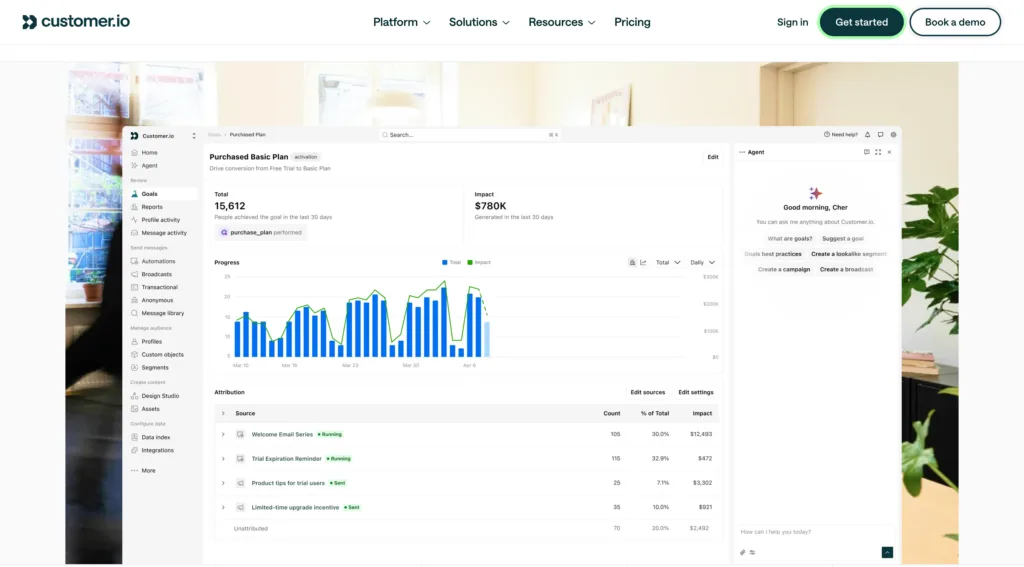
Pricing. Essentials starts at $100/month, billed monthly, and includes 5,000 profiles (people plus objects) and 1 million emails a month. Each additional profile costs $0.009, and each additional 1,000 emails costs $0.12. Premium starts at $1,000/month, billed yearly, with custom profile and email volumes, managed deliverability, chat support, and a 2-hour first response time. Startups that have raised under $10M can apply for 12 months free (Customer.io pricing).
Trade-off. Billing follows stored profiles, so inactive profiles still cost money. Essentials support is limited to email and community.
Pros:
- True cross-channel journeys
- 1 million emails included on Essentials
Cons:
- Expensive if all you need is transactional delivery
- Chat support only from Premium
Dreamlit
Fit and capabilities. Dreamlit connects to a Postgres database and builds email workflows from plain-language prompts. Its pricing page lists Supabase, Neon, AWS, and Railway among supported hosts. Workflows support delays, branching, data filtering, repeating triggers, broadcasts, and a sandbox mode. Delivery runs on AWS SES, with automatic suppression and bounce handling listed as platform features (Dreamlit pricing).
Pricing. Free includes 3,000 notifications a month, capped at 100 a day, for one project. Pro costs $20/month billed monthly ($16/month billed yearly) for 30,000 emails with no daily cap, shared across up to 10 projects. Scale costs $99/month billed monthly ($79/month billed yearly) for 100,000 emails and adds support with an SLA. Dedicated IP pools are an Enterprise add-on (Dreamlit pricing).
Trade-off. Pro has no overage option, so going past 30,000 emails means moving to Scale. Dreamlit also requires a Postgres database.
Pros:
- Trigger logic lives next to the data, not in app code
- Plain-language workflow builder
Cons:
- Big price jump from Pro to Scale
- Works only with Postgres
Pricing and Sending Limits
At the same sending volume, Amazon SES has the lowest published cost at every level we checked. The table shows the lowest monthly list price per provider at four volumes, assuming USD, monthly billing, and one recipient per email. Where a provider has several plans, the cheapest plan including overage is used.
| Monthly emails | 10,000 | 50,000 | 100,000 |
|---|---|---|---|
| Amazon SESà la carte, $0.10 per 1K | $1.00 | $5.00 | $10.00 |
| Amazon SESEssentials, $0.16 per 1K | $1.60 | $8.00 | $16.00 |
| ZeptoMail*$2.50 per credit | $2.50 | $12.50 | $25.00 |
| SendGrid | $19.95Essentials 50K | $19.95Essentials 50K | $34.95Essentials 100K |
| UniOne | $6.00 | $25.00 | $40.00 |
| Resend | $20.00Pro | $20.00Pro | $65.00Pro + overage |
| Mailgun | $15.00Basic | $35.00Foundation | $90.00Scale |
| Dreamlit | $20.00Pro | $99.00Scale | $99.00Scale |
| Customer.ioup to 5,000 profiles | $100.00 | $100.00 | $100.00 |
| Postmark | $15.00Basic | $66.00Platform | $126.00Platform |
*Rate for existing accounts. Pricing for new ZeptoMail sign-ups from July 1, 2026 was not published at the time of writing.
What the numbers show:
- SES is cheapest on list price, not on total cost. Per-message tracking needs extra AWS services and engineering time that the table doesn’t include.
- Among plan-based providers, the winner depends on volume. Postmark and Mailgun are cheapest at 10,000 emails. SendGrid Essentials is cheapest from 50,000 to 500,000, but without a dedicated IP, while Mailgun Scale includes one for $90 at 100,000.
- Customer.io’s cost follows profiles, not volume. It’s cheap for a small user base that receives many emails and expensive for a large, inactive list.
- Brevo isn’t in the table because its prices above the 5,000-email entry tier aren’t listed in its plan documentation. Use the calculator on Brevo’s pricing page and keep the contact caps in mind.
A few more patterns are worth checking before you commit:
- Trials aren’t permanent free plans. SendGrid’s Email API offers a 60-day trial and UniOne a four-month trial, while Resend, Postmark, Mailgun, Brevo, and Dreamlit have ongoing free plans with daily or monthly caps.
- Dedicated IP terms vary widely. They range from add-ons with no stated volume minimum (UniOne at $40/month plus setup, SES standard at $24.95/month), to plan-gated options (Resend Scale, Postmark Pro with 300,000+ emails, Brevo Professional), to one included in a plan (SendGrid Pro, Mailgun Scale).
- Some figures move often. Confirm ZeptoMail’s rate for new accounts and Resend’s higher-volume tiers on the vendors’ pages before building a budget.
How to Choose Your Alternative
Match the decision to your actual bottleneck, not to the best-known platform.
Transactional delivery with long log history and a falling overage rate: UniOne keeps logs for up to 45 days and analytics for up to 100 days on its standard plan, with overage that drops from $0.75 to $0.30 per 1,000 as volume grows. Postmark suits teams that want transactional and broadcast traffic on separate streams.
Inbound routing rules at the provider: Mailgun Routes. If a single webhook for incoming mail is enough, Resend already covers it, and Postmark offers inbound processing from its Pro plan.
Lowest cost per email, with AWS expertise in-house: Amazon SES, as long as you plan for the event publishing and monitoring work.
Marketing email through the same API as transactional, with automation logic in your own CRM or CDP: UniOne. It sends and schedules marketing email but doesn’t store lists or run sequences.
Built-in marketing automation with a visual builder and contact management: Brevo, on Standard or above if your automations cover more than 2,000 contacts. Customer.io is the better fit when journeys span push, in-app, or SMS.
Trigger logic in the database instead of the codebase: Dreamlit, if your app runs on Postgres.
Event-based onboarding emails only: Check Resend Automations before switching, since they may already cover the need.
For narrower comparisons focused on developer workflows, UniOne’s guides to Postmark alternatives and Mailgun alternatives go deeper on those two platforms. If SMTP relay setup or transactional email service mechanics are still open questions, cover that groundwork before switching providers.
Try UniOne free for four months
6,000 emails a month, 100 address validations, and every Standard feature including 45-day logs and 100-day analytics. No commitment, and you can test deliverability from your own domain before deciding.
Try for free →Frequently Asked Questions
Which Resend alternative fits transactional email best?
Postmark, UniOne, and Mailgun are the closest direct replacements, since all three are built around API and SMTP delivery. They differ in operational details rather than in proven inbox placement. Postmark separates transactional and broadcast traffic into distinct streams, UniOne keeps logs for up to 45 days on its standard plan, and Mailgun adds inbound routing rules. There are no comparable independent inbox placement measurements across these providers, so run a test send from your own domain before deciding.
Which options are cheaper at higher sending volumes?
At 500,000 emails a month, Amazon SES costs $50 on à la carte pricing or $80 on Essentials. ZeptoMail costs $125 at its $2.50 credit rate. SendGrid Essentials costs $386.95, Resend $425, Mailgun Scale $530, and Postmark Platform $606, all calculated from list prices in September 2026. SES’s total cost rises once you add the engineering time and AWS services needed for per-message tracking.
Can I switch providers without rebuilding my backend?
Usually, if your integration goes through standard SMTP. Switching an SMTP integration is often just a change of credentials and DNS records. An integration built on a vendor’s SDK takes more rework, because template syntax and webhook payloads differ between providers. Automations built inside Resend also need to be rebuilt in the new platform or in your own code.
Which alternatives suit non-technical teams?
Brevo and Customer.io both offer visual workflow builders and drag-and-drop editors. Dreamlit’s plain-language builder targets a similar audience but still needs a connected Postgres database. UniOne, Postmark, Mailgun, SES, and ZeptoMail expect a developer to wire up triggers.
When do I need push or in-app messaging alongside email?
When a customer journey needs to reach people on whichever channel they actually check. A cart reminder sent only by email misses customers who mostly use your mobile app. That’s the problem Customer.io and similar orchestration platforms solve, and it’s a different decision from choosing a cheaper way to send the emails you already send.