
 27 october 2026, 11:13
Key takeaways
– Booking emails: Each booking needs a confirmation with the cancellation window, a reminder with a one-tap confirm button, and a notice if it moves or is canceled.
– Money emails: Deposit, no-show, receipt, and membership emails state the amount and what happens next. Gift card emails go to the recipient.
– Clinics: Keep diagnoses and test results out of email. Ask an email provider to sign a business associate agreement; with a booking platform, check instead whether its agreement reaches the patient data you want to store.
– Delivery: For major inbox providers (Gmail, Yahoo, Outlook.com), your sending domain needs SPF or DKIM, and all three records, DMARC included, once you send in bulk.
A salon, spa, studio, or clinic sends most of its service email around one appointment: when it’s booked, before the visit, when something changes, and after the client leaves. An email about the payment for that appointment can go out much later. Square, for example, lets a business on Appointments Plus or Premium charge a fee for a no-show or a late cancellation up to 14 days after the visit. The client learns about the charge by email.
What Are Transactional Emails for a Salon or Clinic?
A transactional email, or service email, goes to one person because something happened to their booking, payment, or account. A visit was booked or moved, a charge is coming up, a slot they waited for opened, or someone bought them a gift card. Your clients act on these emails. They tap a confirm button, open the email on the way to double-check your address, or see how much of a deposit was kept.
A birthday discount or a “time to rebook” nudge is one of your marketing emails, whoever receives it. The line between the two can even fall within a single email. A reminder stays a service email as long as the appointment is its main subject, and a discount placed above the visit details turns it into marketing.
Which Transactional Emails Does a Salon or Clinic Need?
Bookings, deposits, a waitlist, forms, gift cards, and memberships add up to eleven emails. Each one is triggered by a change to a record in a booking platform such as Fresha, Mindbody, Altegio, or Square Appointments.
| Trigger · recipient | What to include | When to send | |
| Booking confirmation | New booking online or at the front desk · client | Service, staff member, date and time, address, price and deposit, cancellation policy, reschedule link | Immediately |
| Appointment reminder | Visit approaching · client | Date and time, address and parking, how to prepare, reschedule link | Before the visit, once or twice |
| Confirmation request | Booking not yet confirmed · client | Confirm button, reschedule and cancel links | Before the visit; again with the reminder if unanswered |
| Reschedule or cancellation notice | Booking moved or canceled by the client or the business · client | Old and new time, or the cancellation, what happens to the prepayment, rebook link | Immediately |
| Waitlist opening | Slot frees up · next client on the waitlist | Service, time, how long the slot is held, book button | As soon as the slot opens |
| Deposit and no-show notice | Deposit taken, late cancellation, or no-show · client | Amount held or kept, free cancellation window, policy link, rebook button | When the deposit is taken; when a fee is charged |
| Payment receipt | Prepayment, payment link, or checkout · payer | Amount, service, date, payment method, business details | Immediately |
| Gift card email | Gift card sold · recipient, copy to the buyer | Code, amount, expiry, how to redeem, buyer’s message | On the date the buyer chose |
| Membership and package notice | Purchase, upcoming charge, failed payment, or expiry · member | Plan or package, visits left, charge date and amount, card update link | Before a charge or expiry; on a failed payment |
| Pre-visit form | Booking for a service that needs a form · client or patient | Form link, deadline, time to complete, what to bring | With the booking or the reminder |
| Thank-you and review request | Visit marked complete · client | Thanks, aftercare, review link | Shortly after the visit |
Which Emails Lock In a Booking?
Every booking, including one your team enters after a phone call, should trigger a confirmation, a reminder, and a request to confirm the visit. The client who called then has the same written record as one who booked online.
Booking Confirmation Email
A booking confirmation is the email you send as soon as a client books, with everything they need to arrive at the right place and time. The stylist’s or doctor’s name and your address matter more here than a logo. Add a reschedule link as well. A client who can’t make it then moves the booking instead of missing the visit.
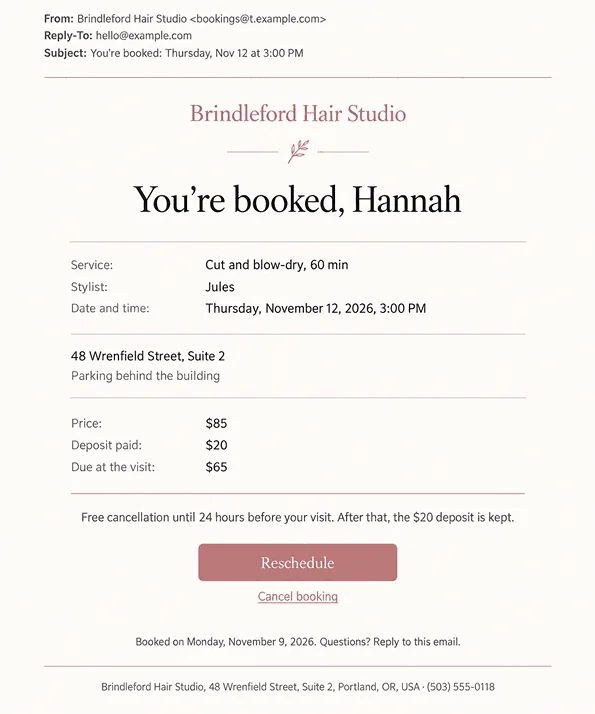
Write the cancellation window and any deposit into the confirmation itself, in one or two plain lines. A link to your full policy page can carry the details, but the window in hours and the deposit amount belong in the email. If you later keep a deposit or charge a fee, this is the email the client will look for.
Appointment Reminder Email
You send an appointment reminder close to the visit, with the practical details clients skip at booking: where to park, how early to come, and how to prepare. Send the reminder while the client can still cancel without a fee. That leaves you time to offer the slot to someone else.
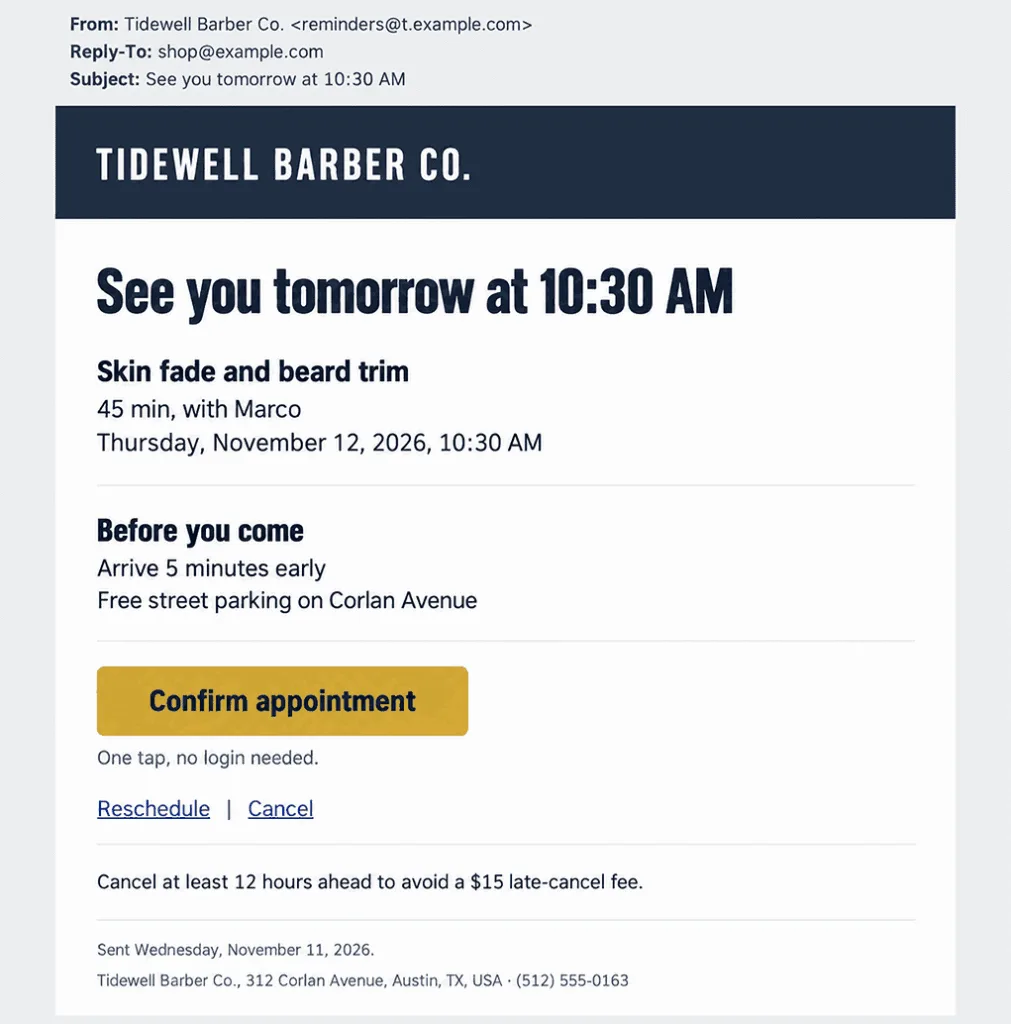
Preparation depends on the service. Add a short block for each one:
– First visit: Arrive a few minutes early to fill in your details
– Hair color: Bring a photo of the shade you have in mind
– Massage: Tell us about any injuries or pain before you arrive
If you send a second reminder on the day of the visit, make it shorter than the first: the hour, the address, and one button.
Confirmation Request Email
Asking clients to confirm works only if confirming takes one button, with no login and no reply to write. The visit status should change on its own when the client taps the button. Your team then sees who’s coming without calling around. Put reschedule and cancel links next to the button for clients who can’t come.
When a client ignores the first request, repeat it in the reminder and leave the booking marked as unconfirmed in your calendar until they tap. Asking clients to “reply YES” from an address nobody reads loses the answers you asked for.
Which Emails Handle Changes, Cancellations, and No-Shows?
A booking that changes needs one of three emails: a reschedule or cancellation notice, a waitlist opening, or a deposit and no-show notice. Changes are where clients and salons lose money: a slot nobody fills, a deposit nobody expected to lose. Send each of these emails as soon as the booking record is updated.
Reschedule and Cancellation Notice
When a booking moves, show the old time next to the new one, so the client doesn’t arrive for the slot that no longer stands. Say who moved it, the client or your salon, and whether the stylist changed. If the move was yours, say so and apologize in one line.
The cancellation email confirms that the slot is gone and says in one line what happens to any prepayment: refunded, kept, or credited to the next visit. Leave the money out and the client calls to ask. End with a link back to your booking page.
Waitlist Opening Email
A freed slot stays empty unless the next client on your waitlist hears about it in time to take it. Often several clients wait for the same time. Decide whether the first to tap gets the slot or the first in line, and say which in the email. Send a short note to clients who tapped after the slot was taken, so nobody arrives for a booking that went to someone else.
Deposit and No-Show Notice
Clients accept a kept deposit more readily when the email quotes the policy they agreed to at booking. Two moments need an email: when you take the deposit or card guarantee, and when you charge for a late cancellation or a no-show.
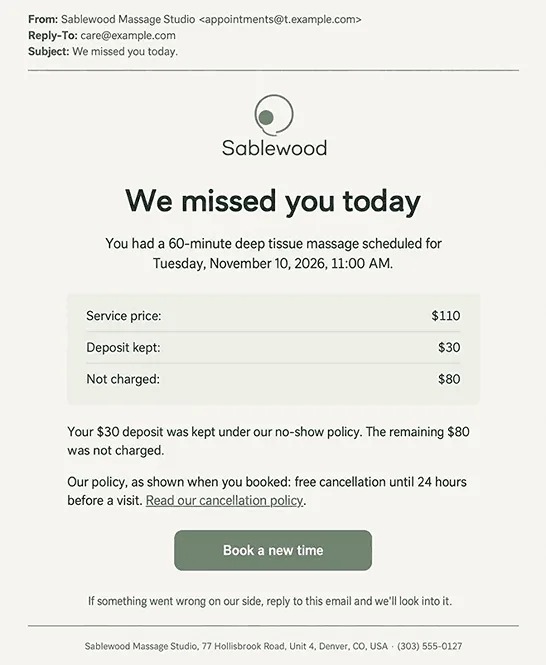
The no-show email should state:
– What was missed: The date and service, so the client can check their own calendar
– What was charged: The amount kept and the amount not charged, as two separate figures
– Why: A link to the policy text
– What next: A button to book a new time, since a client who forgot may still want the service
Send the notice once the deposit is kept or the fee is charged, so the email can give the exact figures. The visit is marked as a no-show before that, and that’s when you decide whether to charge. In Mindbody, an appointment switches to no-show status 10 minutes after its start if the client neither arrives nor cancels. The system also keeps a list of clients subject to a late-cancel or no-show penalty, so your front desk can see repeat no-shows before deciding whether to charge.
Which Payment Emails Should Clients Get?
Receipts, gift card emails, and membership notices don’t always go to the client who comes in. The receipt goes to whoever paid, and the gift card email goes to the friend or relative it was bought for.
Payment Receipt Email
Send a receipt for every payment, whether it’s a prepayment online, a payment link, or a card at checkout. Show your business name the way it appears on the client’s card statement, so they can match the charge to the visit.
Keep the receipt to the payment and the service it covered. When a deposit taken at booking is applied at checkout, list it as its own line on the final receipt. The client then sees it was counted.
Gift Card Email
The person who will use a gift card is usually not the one who paid for it, and an email that reaches only the buyer leaves the recipient with nothing. Send it to the recipient with the buyer’s message and the code. Let the buyer choose the delivery date, such as a birthday, and send the buyer a copy as confirmation that it arrived.
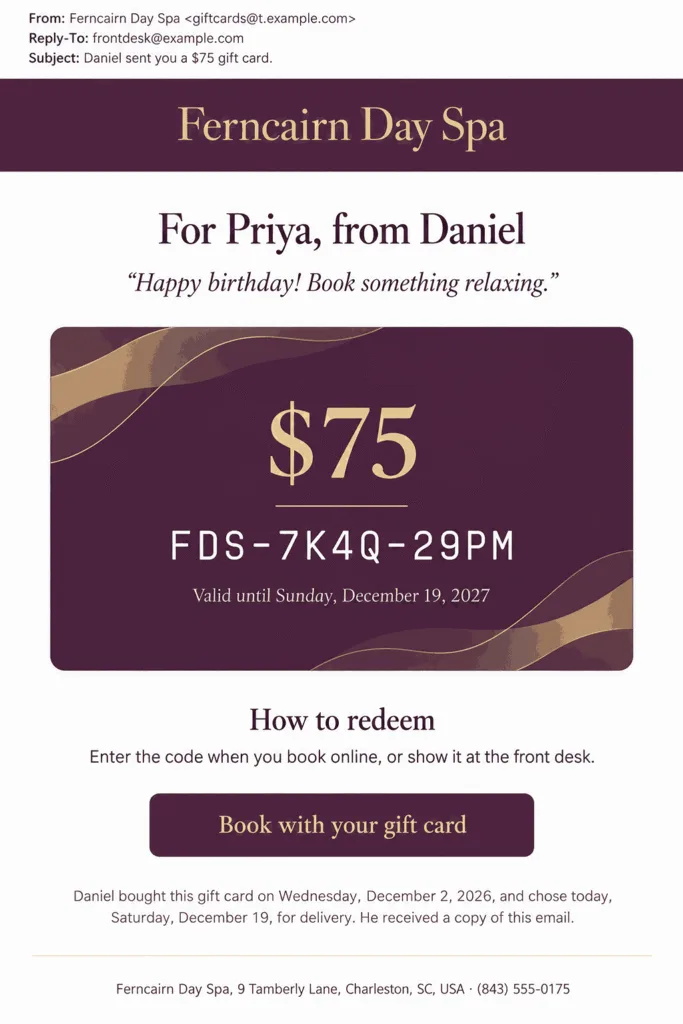
Put the code in large type. Add how to redeem it online and in person. In Altegio, a gift card sold through the online sales widget gets its code automatically at the moment of sale. The code already exists whenever the gift card email is sent.
Membership and Package Notice
A member should hear about a recurring charge before it happens and again if it fails, with one link to update the card. The first notice gives the client time to cancel or change the card before the charge goes through.
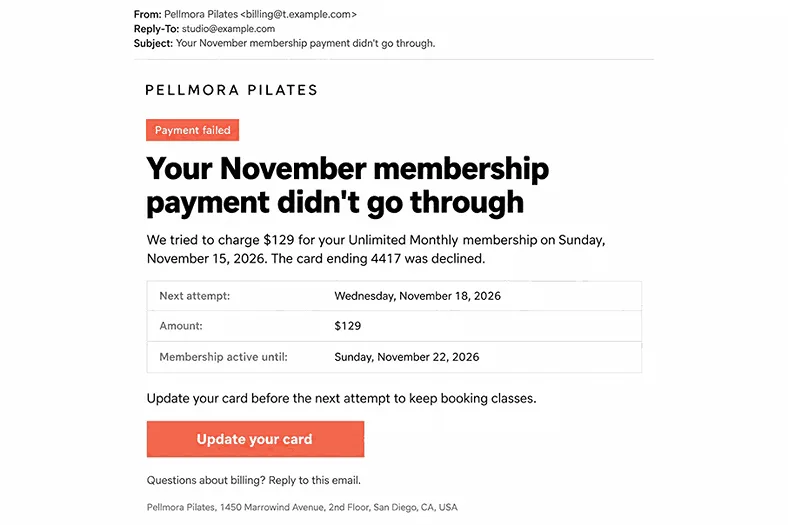
Fresha collects members’ recurring payments and tracks how they use their membership benefits. Put the next charge and the visits left at the top, with the expiry date for a package.
Which Emails Go Out Before and After the Visit?
Before the visit, you send a form email for services that need paperwork, and after it, a thank-you email with care instructions.
Pre-Visit Form Email
Intake, consultation, and consent forms belong in your booking flow, early enough that clients fill them in at home. A line on how long the form takes tells the client whether to do it now or in the evening.
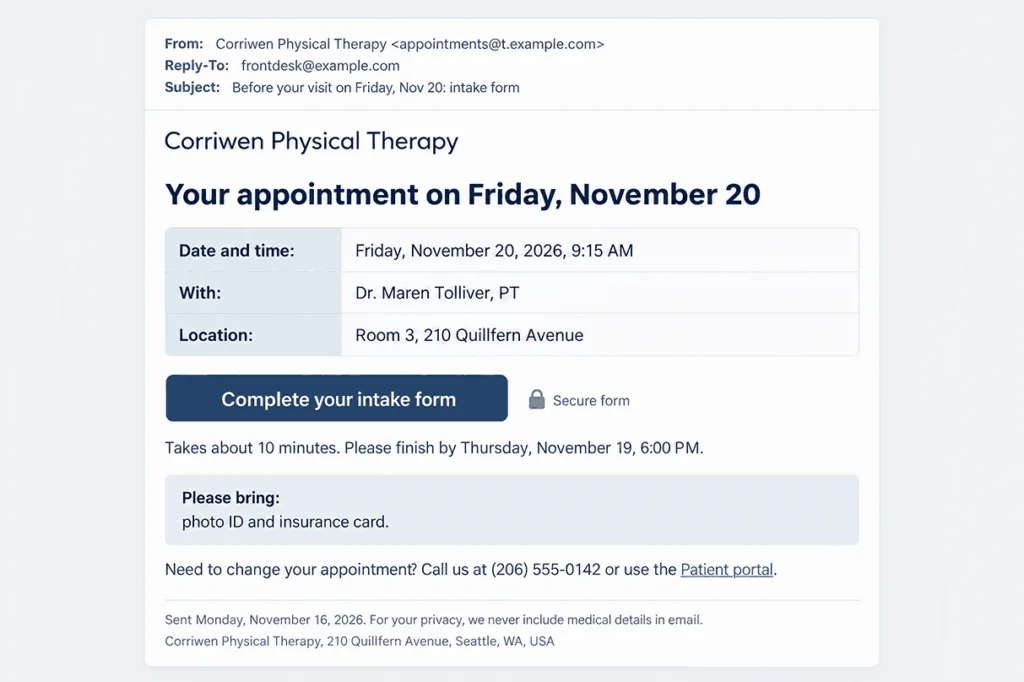
Tie each form to the service that needs it. In Fresha, a form is linked to a service and attached when the client books. You choose whether clients complete it every time or only once, and the finished form is stored in the client’s profile.
What Should a Clinic Put in an Appointment Email?
Keep an appointment email to the time, the address, and a link to the intake form, and leave diagnoses and test results for the patient portal. HHS lets clinics email patients about appointments with reasonable safeguards, such as checking the address before sending and limiting what an unencrypted email discloses.
HIPAA covers health plans, health care clearinghouses, and health care providers that send health information electronically in standard transactions, such as health care claims. For a covered clinic, a vendor that creates, receives, maintains, or transmits patient information for you is a business associate. A reminder that names the patient and the visit already carries patient information. Ask your email provider whether it will sign a business associate agreement (BAA) before it sends such emails for you.
The same question applies to your booking platform, which stores intake forms. Under Mindbody’s terms, a business subject to HIPAA must request Mindbody’s BAA before using the service with patient information. That agreement covers only certain HIPAA features rather than the whole platform. So the question to ask a platform is not whether it signs a BAA, but whether that agreement covers the data you plan to store. Square makes a BAA available for Square Appointments, where Square acts as your business associate. It leaves you to judge which Square features and settings suit patient information. Fresha and Altegio don’t say on their sites whether they sign one, so ask before you store patient details there.
Thank-You and Review Request Email
A thank-you email with aftercare for the treatment the client had is a service email, because it’s about that visit. A review link asks the client for a favor, so keep it below the aftercare, and treat a review request sent on its own as marketing. Aftercare matters most after color or a peel, when the client has something to do at home.
Trigger this email when the visit is marked complete. A no-show client is never thanked for a visit that didn’t happen. One link and one question work better in a feedback email than a full survey.
How Do You Make Sure Clients Get Your Booking Emails?
Gmail, Yahoo, and Microsoft run two checks that decide much of your email deliverability. They verify that a booking email really comes from the domain in its From address, and they count how often recipients mark that mail as spam or junk. Your DNS host holds the domain records, and the service that delivers your booking emails gives you their values and the bounce reports.
Send From Your Own Authenticated Domain
Booking emails should show your salon’s or clinic’s own domain in the From address, with one address for each kind of email. Clients then learn to recognize that address among the rest of their mail. Three DNS records prove to receiving servers that the mail really comes from your domain. SPF lists the servers allowed to send for it, DKIM adds a signature the receiving server checks, and DMARC tells that server what to do with mail that fails.
Google wants at least SPF or DKIM from everyone who emails Gmail users, and all three records once a domain sends more than 5,000 messages a day. Yahoo sets the same rule for bulk senders without naming a volume, and Microsoft’s Outlook.com requires all three from domains that send it more than 5,000 emails a day. Keep complaints in Postmaster Tools below 0.3%, and aim for 0.1%. The same three records go on the domain your app or patient system sends from when UniOne or another email API delivers its booking emails.
Keep Offers Out of Receipts and Reminders
A receipt or a reminder with a coupon at the bottom may still count as service email, yet it looks like a newsletter to the client and the spam filter. Google’s sender guidelines name receipts in particular: promotions don’t belong in them. Put your offer in its own email, sent to clients who agreed to hear from you about offers, from an address that isn’t the one your reminders use.
Find Out Why a Reminder Never Arrived
Start with your bounce report when a client says the reminder never came. It shows whether the receiving server rejected the email, and why. A rejected address often has a typo from the booking, and typos are among the common reasons emails never arrive. Correct it in the client’s profile.
If the email was delivered, ask the client to look in spam and junk and to add your sending address to their contacts. When a reminder arrived at the wrong hour, check that the time zone in the system that schedules your reminders matches your salon’s.
Which Booking Platforms Hold the Records These Emails Need?
Fresha, Mindbody, Altegio, and Square Appointments all record bookings and no-shows, and they differ in who they serve and which payments they take.
| Platform | Who it serves | Booking events it records | Money tied to the booking | Also stores |
| Fresha | Salons, barbershops, spas, and med spas | Online and in-store bookings, reschedules, cancellations, no-shows, waitlist | Card or deposit under a cancellation policy, gift cards, memberships | Client profiles with forms, allergies, and patch tests |
| Mindbody | Fitness, wellness, and beauty businesses | Classes, appointments, and courses; late cancellations and no-shows; waitlist | Late-cancel and no-show fees, autopay memberships | Client profiles with waivers, cross-location reports |
| Altegio | Salons, barbershops, studios, and clinics | Online and staff bookings, reschedules, cancellations, no-shows | Deposit or card guarantee, gift cards, memberships | Client profiles with visits and signed forms |
| Square Appointments | Solo professionals, growing teams, and large salons | Online bookings, late cancellations, no-shows, waitlist requests | Deposits, prepayments, cards on file, packages, eGift cards | Customer profiles with forms and contracts |
Fresha
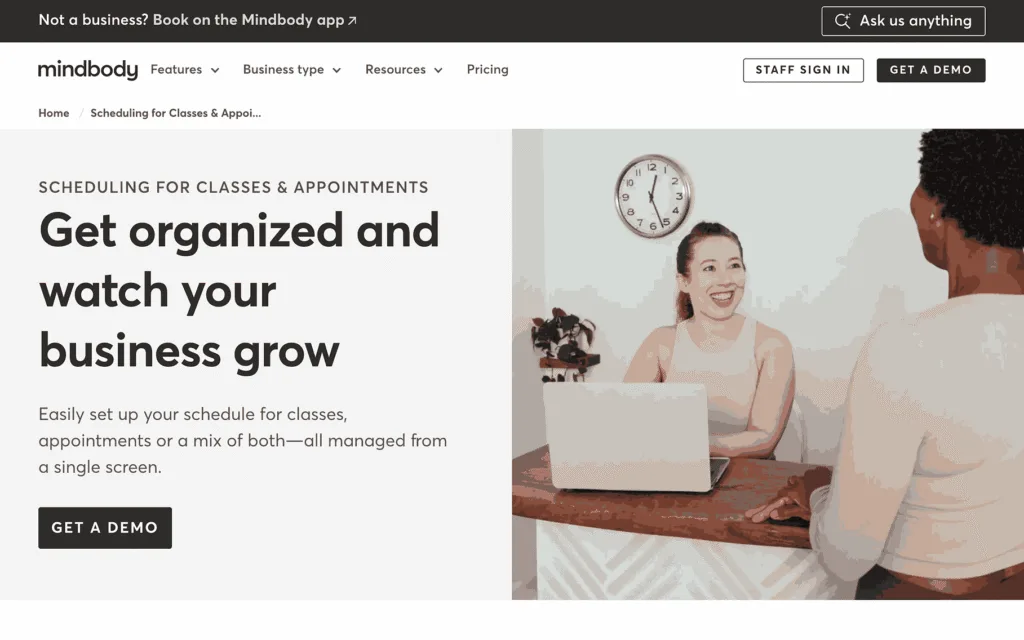
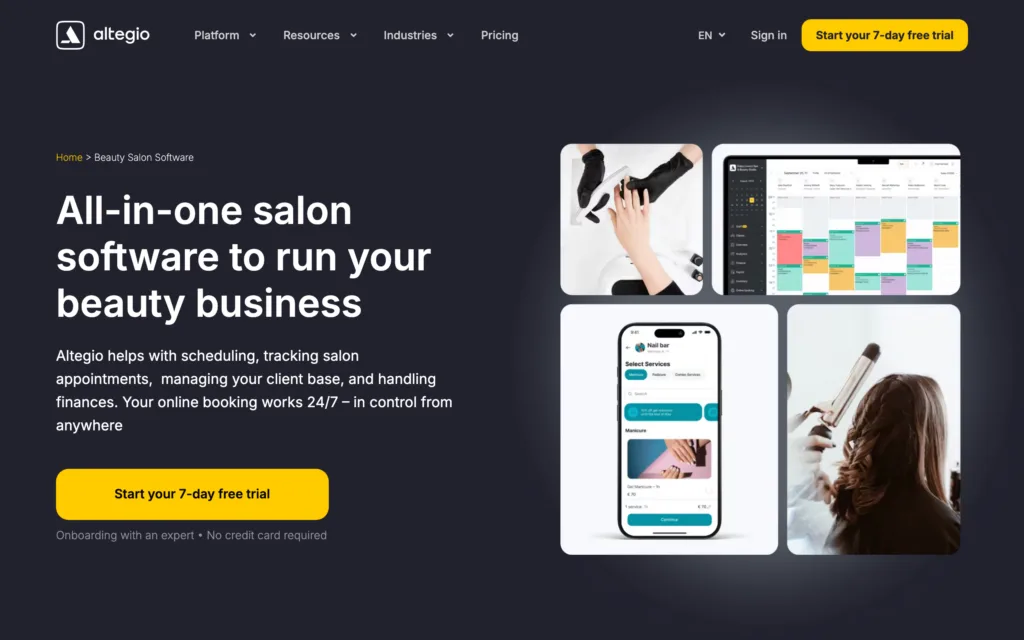
Bookings land in one calendar whether clients book through the salon’s website, social media, Google, or the Fresha marketplace, or the team adds them in store. A canceled visit stays on record in the appointment list and the client’s profile, next to allergies, patch tests, and completed forms. Fresha is designed for hair and nail salons, barbershops, spas, med spas, and massage therapists. A client who paid upfront can’t cancel online and has to contact the salon, so on Fresha a cancel link in your emails works for unpaid bookings rather than prepaid ones.
Mindbody
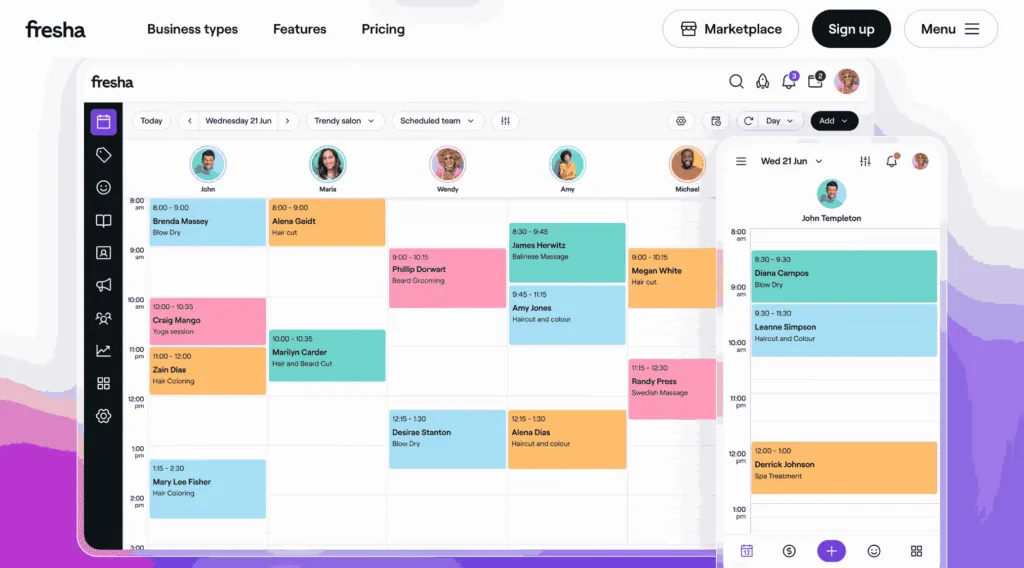
Classes, appointments, courses, and events share one schedule, and every change to it updates the business’s website, branded app, and the Mindbody app. Cancellation windows are set per service category, and a late cancellation or no-show brings a fee or a visit deduction. Mindbody serves solo owners, growing businesses, and chains run from one corporate dashboard. It may not fit a one-person operator who rents time at a shared location and needs only basic booking and payments.
Altegio
Each booking carries its own payment rule. A deposit is held at booking and applied at checkout, or a saved card is charged only after a late cancellation or a no-show. Staff book and reschedule in the calendar that takes online bookings. Altegio serves salons, barbershops, studios, and clinics, including chains that share one client base. Online bookings need only a name and a phone number unless you make the email field required, so set that field to required, or these emails will have no address to reach.
Square Appointments
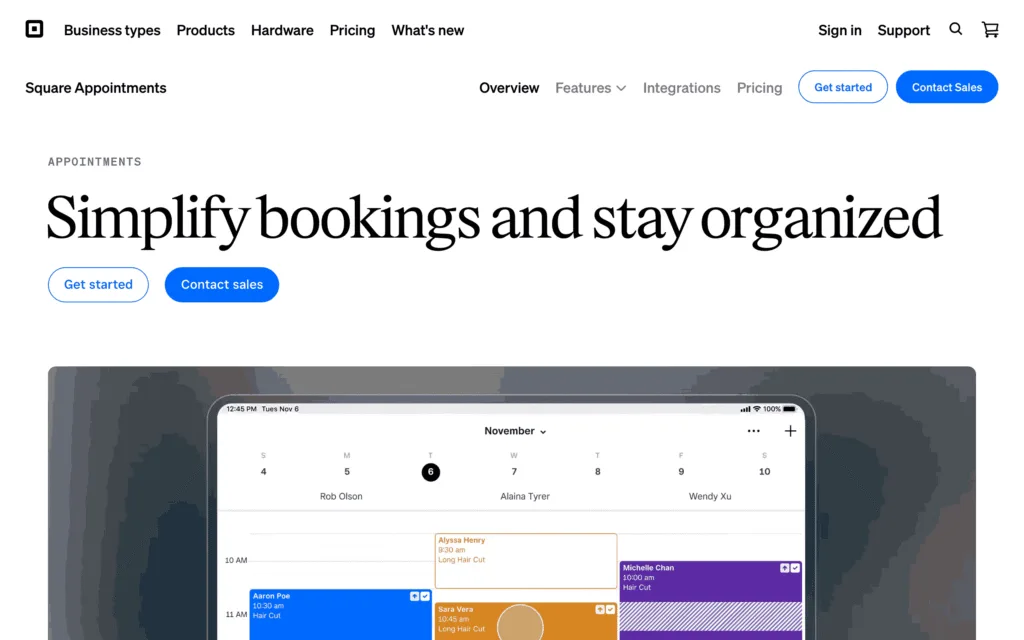
Clients book online around the clock with any team member at any location. A card saved on file holds the appointment and covers a prepayment or a late cancellation fee. Customer profiles store preferences, documents, and the forms and contracts clients send while booking. Square has plans for solo professionals, growing teams, and large salons. Charging a no-show or late-cancellation fee needs the paid Appointments Plus or Premium plan, so a business on the free plan can record a no-show but can’t bill for it. Clients request a waitlist spot online or through staff, and your team decides who gets a freed slot.
If you run a chain or clinic with your own developer, you can build these emails in your own app or patient system instead of the platform. This part is for that reader; a single salon on one platform can skip it. Mindbody, Altegio, and Square publish APIs or webhooks that pass events such as a new or canceled booking to that system. Your developer connects to Mindbody once Mindbody approves them, and registers a developer account with Altegio to get an API key. For Square, they give a Square app full calendar access, and Square then sends that app a webhook for every new or changed booking. Fresha’s official pages describe a Data connector, a paid one-way export of raw data into a data warehouse for reporting, and name no webhook or write-back access. Because its official pages describe no way to pass live events to an outside system, triggered emails on Fresha have to be built inside Fresha itself rather than in your own system. Your system turns each event into an email and passes it to an email API for delivery.
Conclusion
If you only take bookings, start with the confirmation, the reminder, the confirmation request, and the change notices. When you start selling or asking for something new, have its email ready before the first client needs it. Set up the receipt before you take the first payment, the deposit and no-show notice before the first deposit, and the gift card email before the first card goes on sale. The membership notice should be ready before a member is billed for the first time, and the waitlist email once you keep a waitlist. Add the form email once a service needs paperwork, and the thank-you email once a treatment needs aftercare at home.
FAQ
How Far Ahead Should You Send an Appointment Reminder?
A day ahead suits most salons and clinics, and 24 hours is a common default reminder time in booking software. Move it earlier for services that need preparation or a longer cancellation notice.
Are Membership and Package Emails Transactional?
Notices about an upcoming charge, a failed payment, or a package close to expiry count as service email, because they report on a plan the client already pays for. Send them to whoever holds the account. In Mindbody, one account can manage several family members, and the billing notice belongs with the account holder.
Can Clients Turn Off Appointment Reminders?
Yes. Gmail’s one-click unsubscribe rule covers marketing messages, not booking confirmations and other transactional emails, though Google asks senders of promotional and subscribed mail to make opting out easy. When a client wants fewer reminders, offer another time or channel, and stop if they ask you to.