
 26 october 2026, 17:51
Key takeaways
• Tenant emails: 11 in this guide, including application status, rent invoices, reminders, receipts, maintenance updates, and the move-out statement.
• Owner emails in condos and HOAs: Assessment invoices and increase notices, meeting and election notices, violation notices, and the annual budget.
• Delivery basics: Send from your domain or a service-mail subdomain. Google recommends SPF, DKIM, and DMARC for every sender. Gmail and Yahoo require SPF or DKIM from all senders and all three from bulk senders. Keep promotions out of receipts and notices. If your vendor sends the emails, ask about using your domain.
• Notices on paper: Some notices, such as a New York late rent notice, still have to go by mail even when you email them.
Once you send over 5,000 messages a day to Gmail accounts, Gmail classes you as a bulk sender and holds you to stricter authentication rules. Most property managers will probably never get near that number, but Gmail counts every message from your primary domain toward the limit, subdomains included. Rent invoices, reminders, and newsletters all add up to one total. A sender that crosses it once is treated as a bulk sender permanently.
What Are Transactional Emails in Property Management?
A transactional email, also called a service email, concerns the recipient’s own lease or account and is triggered by an action or a date: a rent receipt, a repair update, an assessment invoice. Many of these emails ask the recipient to pay, sign, or vote. Listings and open house invitations are marketing, even if the recipients are your own tenants and owners.
Service emails cut down on routine calls to your office. A repair confirmation tells the tenant there is no need to call and check, and a rent reminder followed by a receipt keeps them up to date on their balance.
Which Transactional Emails Does a Property Management Company Need?
This guide covers 16 emails: 11 for tenants over the course of a tenancy and 5 for condo and HOA owners, including assessment invoices and the annual budget. The list is based on the emails that property management platforms describe in their help centers and the notices that state laws and association rules call for.
| Trigger · recipient | What to include | When to send | |
| Application status | Application submitted · applicant | What was received, next step, status link, contact | Right after submission |
| Welcome and lease documents | Lease signed · tenant | Lease dates and rent, signed lease, portal access, move-in details, contacts | At signing, before move-in |
| Rent invoice or statement | Charge posts or month closes · tenant | Amount, due date, line items, account history, how to pay | Every billing cycle |
| Rent reminder | Due date approaching · tenant | Amount, due date, payment link, autopay status | Before the due date |
| Payment receipt | Payment posts · tenant | Date, amount, unit, period covered, method, balance | When the payment posts |
| Late rent or returned payment notice | Rent not received or a payment returned · tenant | Amount owed, any fee, how to pay | After the grace period or the return; a copy where a mailed notice is required |
| Maintenance request update | Request filed or status changes · tenant | Request number, status, visit window, access instructions, link | On every status change |
| Building notice | Outage, works, or meeting · residents and owners | What happens, when, how long, who is affected, emergency contact | Before the event |
| Portal account and document alert | Password reset or new document · tenant or owner | Reset link and expiry, or document name and sender | Immediately |
| Lease renewal and rent increase | Lease end approaching · tenant | New rent, new dates, reply deadline, how to sign | At least as early as your lease and state law require |
| Move-out and deposit statement | Tenant moves out · former tenant | Itemized deductions, amount returned, payment method | Within the state deadline |
| Assessment invoice | Assessment cycle · owner | Unit, period, regular and special amounts, due date, balance, payment options | Every cycle, by the owner’s chosen method |
| Assessment increase or special assessment notice | Board decision · owner | New amount, purpose, first due date | Before the first new payment is due |
| Meeting and election notice | Meeting or election called · all owners | Date, time, place or link, agenda, assessment items, how to vote | Within the window your bylaws and state law set (some states also cap how early) |
| Violation notice | Violation logged · owner | Rule, what to fix and by when, photos, hearing date | When logged; decision after any hearing |
| Budget and annual report | Fiscal year end approaching · all owners | Budget, reserves, planned special assessments, financial report or summary | Once a year |
Which Emails Do Applicants and New Tenants Need?
Two emails cover the start of a tenancy: a status email right after someone applies and a welcome email with the lease documents once the lease is signed.
Application Status Email
An application status email tells someone who has just applied for your rental what you received and what happens next. Without it, applicants call your office to check that their documents arrived. Include:
• What you received: the application, the fee, and any documents
• The next step
• A link to check the status
• A contact for questions
Tell applicants which address your genuine emails come from. AppFolio, for example, tells applicants that its application emails come from an address ending in @appfolio.com and that they should sign in only at applicant.appfolio.com.
Welcome and Lease Documents Email
You send a welcome email when the lease is signed, and it should contain everything your new tenant needs for move-in.
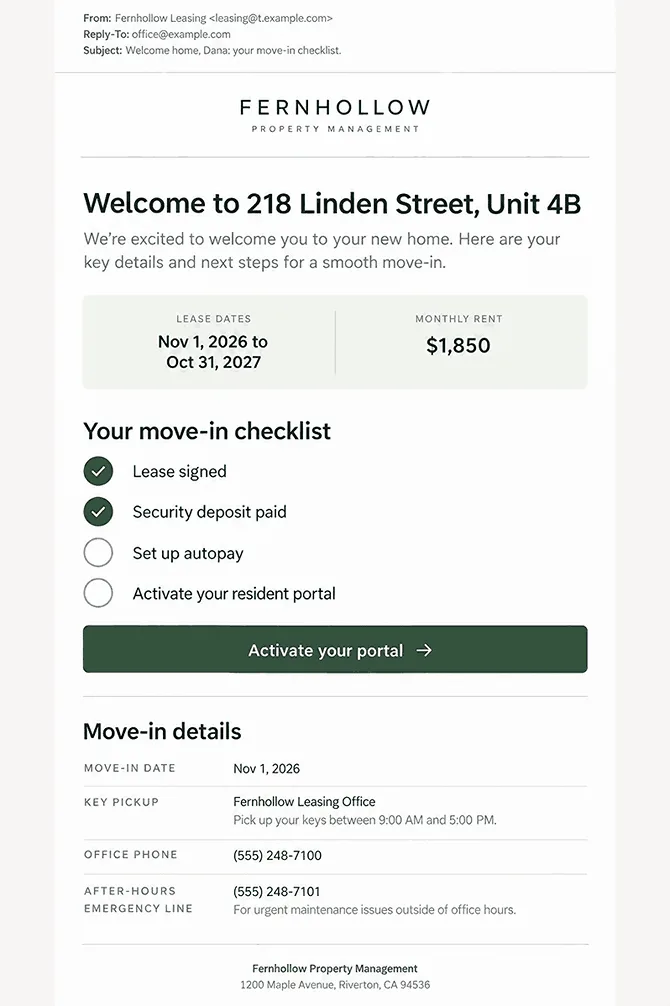
Give the lease dates and rent, plus the signed lease or a link to it in your portal. Add the portal login link, the move-in date and key pickup, and your office and emergency contacts. If a law requires a document in writing, keep sending it on paper until the tenant agrees to get it by email. Some notices must stay on paper even then.
Which Billing Emails Should Tenants Get Every Month?
Each rent cycle can involve up to four emails: an invoice or statement, a reminder before the due date, a receipt when the payment posts, and a late notice when rent is late or a payment comes back.
Rent Invoice and Statement Email
Send a statement each time a charge posts or the month closes, so tenants can see what they owe and why.
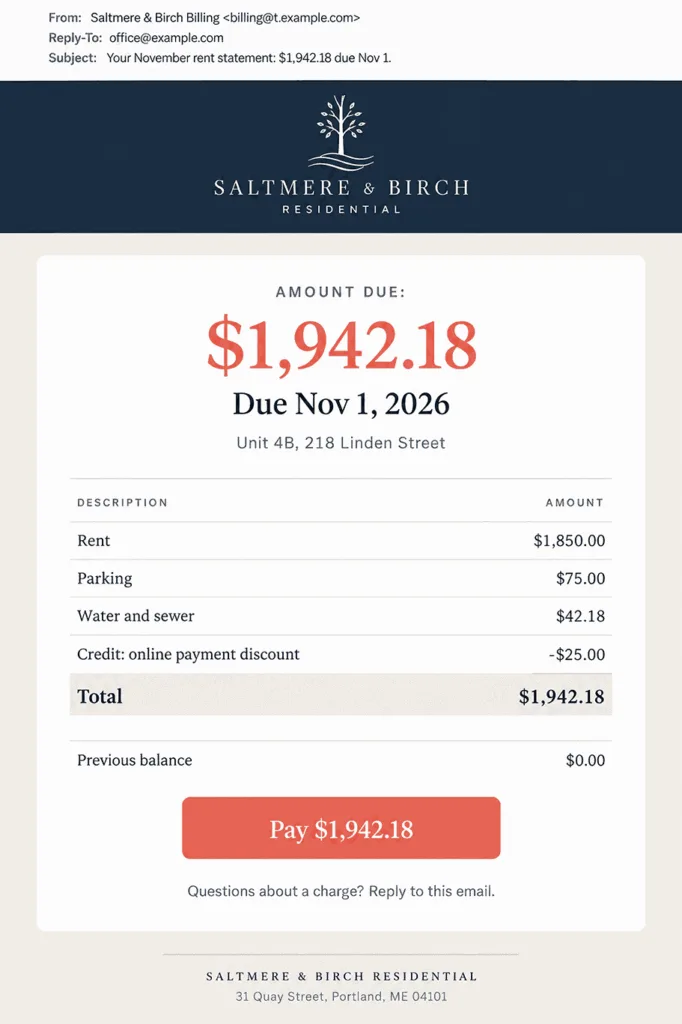
Your statement should show:
• The amount due and the due date
• What the total is made of: rent, fees, and credits
• Account history
• How to pay
Put one payment button at the end of the statement so tenants can pay straight from the invoice email that lists the charges.
Rent Reminder Email
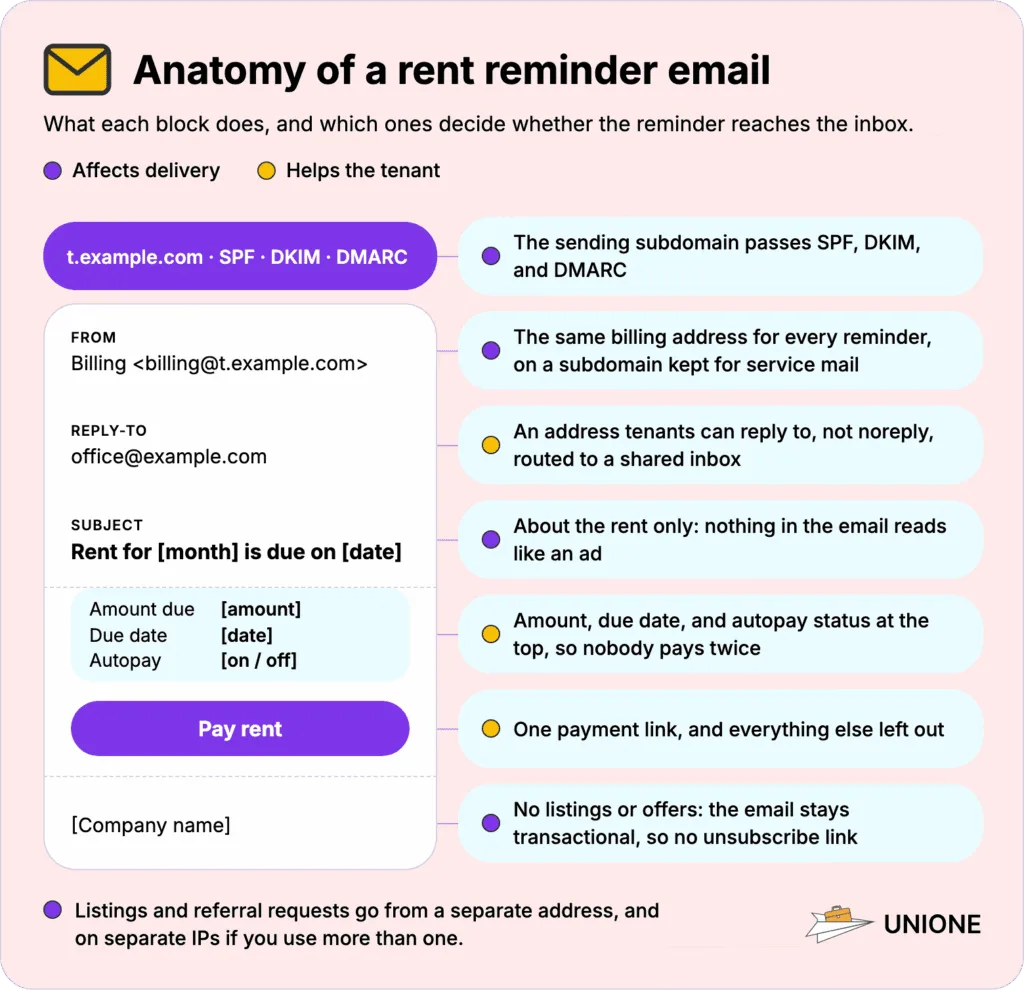
A rent reminder is a short email that goes out before rent is due, with the amount, the due date, and one payment link. Leave everything else out: nothing should compete with the payment link.
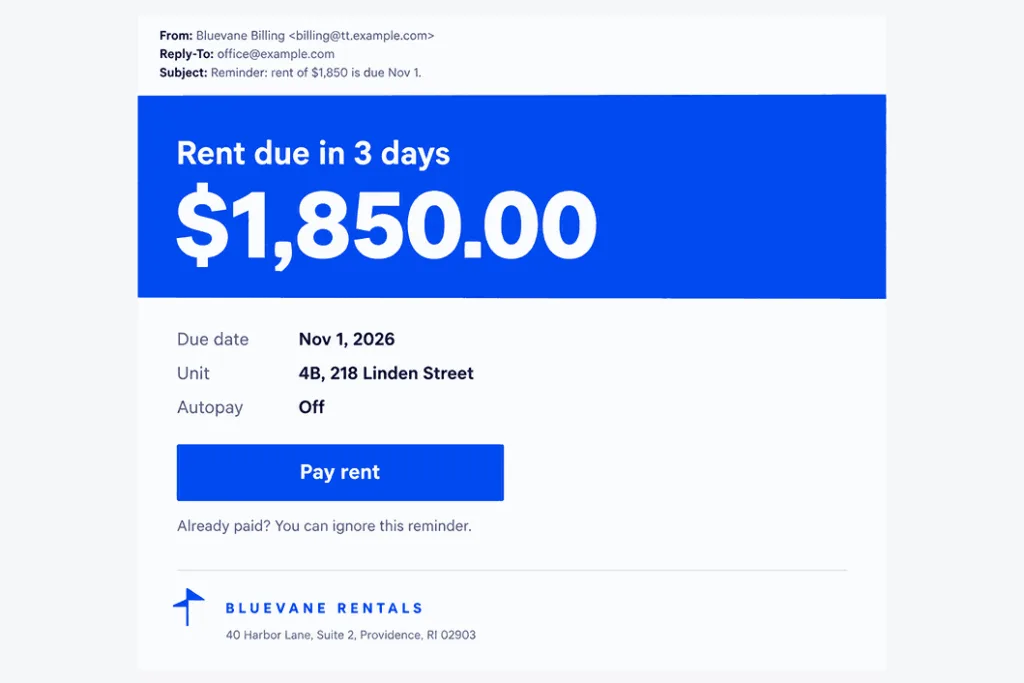
Tip for sending: Skip tenants on autopay, or tell them autopay is on, so nobody pays twice.
Payment Receipt Email
The moment a payment posts, your tenant should get a receipt confirming the money arrived. Your receipt should show:
• Payment date and amount
• Property and unit
• The period the payment covers
• Payment method
• Balance after payment
Check that emailed receipts are switched on in your software before the first payment posts.
Late Rent and Returned Payment Notice
Send a late rent notice once the grace period ends, with the amount owed, any late fee, and the quickest way to pay. Keep your tone neutral and leave out offers. Some notices must go by mail. In New York, for example, the law requires a certified letter when rent has not arrived within 5 days of the date in the lease, so an email can only go alongside it. Check your state’s rules before you move a notice to email.
An ACH payment can come back days after your receipt went out if the account lacks funds or the tenant stops the payment. Your software can record the return automatically. Rentec Direct, for example, posts an offsetting entry to the tenant’s ledger and can add an NSF fee, which state law may limit. The tenant still needs to hear from you, and Buildium’s help tells managers to contact the resident after a stopped payment. Send a short returned-payment email with the amount, the date of the original payment, any fee, and how to pay again.
Which Emails Keep Tenants Informed During the Lease?
Between move-in and move-out, most emails either answer a tenant’s own request or warn about the building: maintenance updates, building notices, and portal alerts.
Maintenance Request Update Email
Each status change on a repair request, from filed to completed, should trigger an email with the new status and, once scheduled, the visit window.
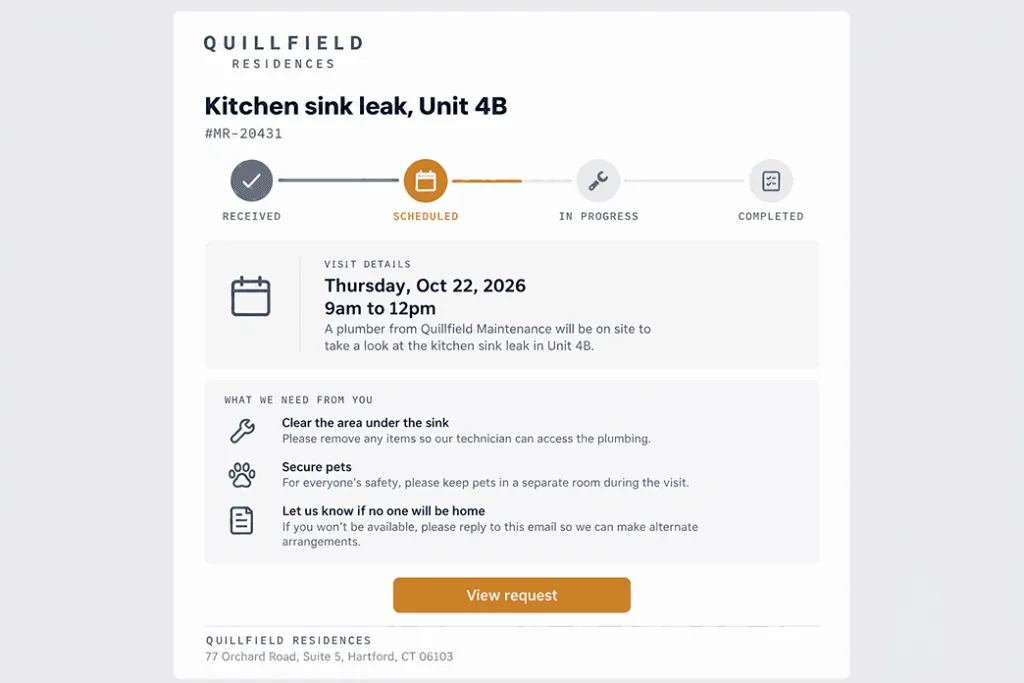
Your update should include:
• The request number
• The status: received, scheduled, or completed
• The visit date and time window
• What the tenant needs to do, such as give access to the unit
• A link to the request
One status per email keeps these notification emails easy to scan.
Building Notice Email
A water shut-off or an elevator repair affects everyone in the building at once, so the notice about it should reach every affected resident and owner at the same time.
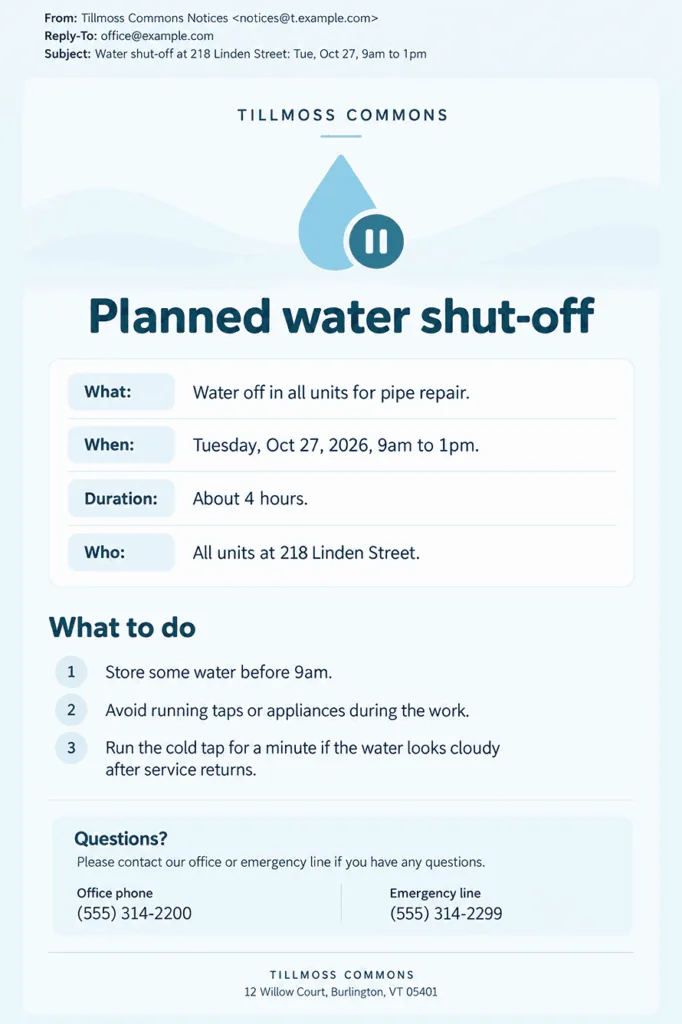
Tell residents:
• What happens
• When it starts and how long it lasts
• Which buildings, entrances, or units are affected
• What residents should do
• Who to call in an emergency
Rent Manager sends mass email from the software and filters the list by property and contact type. A notice about one building then reaches only the people in that building.
Portal Account and Document Alert
Tenants get a portal alert when a password is reset or a new document lands in their account. Name the action in the email and link straight to it.
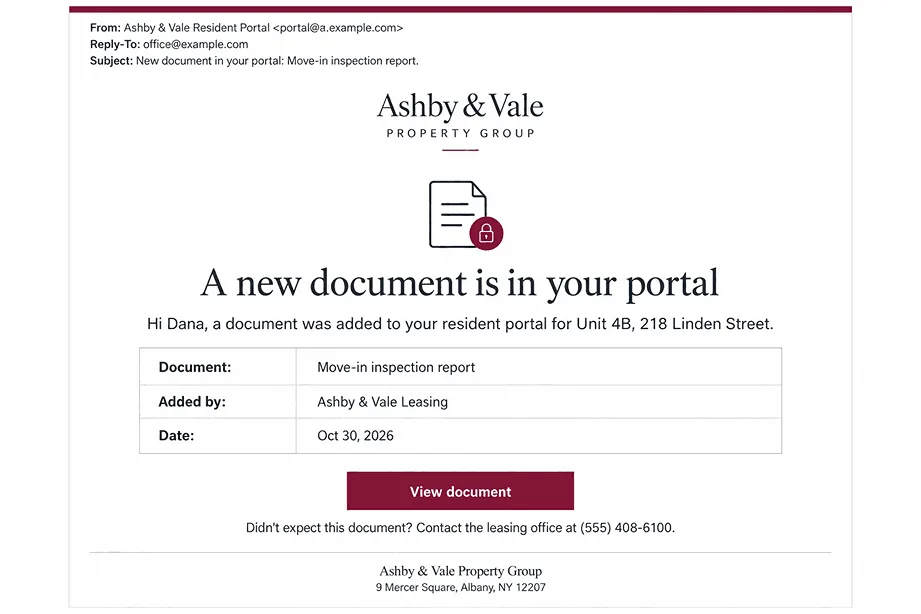
For a reset, give the link and the time it expires. For a new document, give its name and who shared it. Add a contact for tenants who did not request the change.
Which Emails Close Out a Lease?
The last months of a tenancy bring a renewal offer, with any rent increase, and, if the tenant leaves, a statement on the security deposit.
Lease Renewal and Rent Increase Email
You should send the renewal offer in writing well before the lease ends, so the tenant has time to decide. Your offer should give the new rent and the date it applies, the new lease dates, a deadline to reply, and a way to sign online. Open the offer with the rent change: it’s the first thing the tenant looks for. If you hear nothing back, send one reminder before the reply deadline.
Move-Out and Deposit Statement Email
An itemized deposit statement lists each deduction, the reason for it, and the amount returned, and it goes to the former tenant after the keys come back. Attach photos or invoices for the deductions, say how you pay the refund, and name a contact for disputes. Washington gives you 30 days to send this statement. California gives you 21 days and accepts email delivery only if you and the tenant agreed to it.
Which Emails Do Condo and HOA Owners Need?
Associations send owners five kinds of email: assessment invoices, notices of increases and special assessments, calls to meetings and elections, letters about rule violations, and the yearly budget. Building notices go to owners too, in the same form as for tenants.
Assessment Invoice Email
Each owner gets an assessment invoice every cycle. List the regular assessment and any special assessment on separate lines. Include:
• The association and the unit
• The period
• Each assessment amount
• The due date and the balance
• Payment options and a portal link
In Florida, an association has to tell owners in advance and have each owner confirm the change before it moves assessment invoices from paper to email.
Assessment Increase and Special Assessment Notice
An assessment increase notice tells owners that the board has raised the regular assessment or added a special one. Give the new amount per unit and what it pays for, the first due date, the meeting where the board decided it, and a contact. Send it within the window your governing documents and state law set. In California, the law also limits how early it can go out.
Meeting and Election Notice
When the board calls a meeting or election, send owners a notice with everything they need to take part:
• The type of meeting
• Date, time, and place or video link
• The agenda, with any assessments, their purpose, and estimated cost
• How to vote: in person, by proxy, or electronically
• A contact
Where state law limits emailed meeting notices to owners who agreed to them, mail the notice to everyone else.
Violation Notice
Once a rules complaint is logged against a unit, the owner needs a violation notice that says what to fix and by when. Include:
• The unit
• The rule and what was observed
• What to do and the deadline
• The hearing date and the owner’s right to attend, if a hearing applies
• Photos
Buildium lets you attach up to 10 photos and files to a violation letter, printed or emailed to the homeowner.
Budget and Annual Report Email
The budget email is the yearly report every owner should get: the association’s budget and financial report, or a summary with a free way to get the full version. Cover the operating budget, reserves, planned special assessments, and insurance. Put the figures that change what an owner pays at the top, and link to the full documents.
How Do You Make Sure Tenants and Owners Get Your Emails?
Your service emails reach the inbox when they come from an authenticated domain and carry nothing that reads like an ad.
Send From Your Own Domain or a Subdomain
Emails you send from your own portal or app should come from your company’s domain, ideally a subdomain kept for service mail, with one fixed address per type of email. If your property management software sends the emails, they may come from the vendor’s domain, as AppFolio’s application emails do. Ask your vendor whether you can send from your own domain and set up SPF and DKIM for it, and tell tenants which address to expect either way.
Microsoft warns that bulk mail from your primary domain “can affect the delivery of regular email from senders in the domain.” It suggests subdomains such as t.contoso.com for transactional email, each with its own SPF, DKIM, and DMARC. A subdomain keeps your bulk sending from affecting the regular email your staff send from the main domain. Gmail’s bulk sender rules still apply, though, since Gmail counts subdomain mail toward the main domain’s daily total.
Google wants each kind of message to come from one consistent From address. Pick an address tenants can reply to. If you send from a noreply address, set a Reply-To that reaches a real inbox. Route those replies to a shared inbox someone on your team checks daily.
Authenticate Every Sending Domain
Gmail and Yahoo expect every sender to pass SPF or DKIM and keep spam complaints below 0.3%. Gmail’s bulk senders, those over the 5,000-a-day mark, must pass both SPF and DKIM, publish a DMARC record (p=none is allowed), and align the From domain with one of them. Outlook.com asks the same email authentication, SPF, DKIM, and DMARC, of domains above that daily volume and rejects failing mail with the code 550 5.7.515. Yahoo applies the rule to bulk senders without naming a volume. If your own portal sends mail through an email API such as UniOne, check its delivery and bounce reports for a few days after any DNS change.
Keep Service Emails Separate From Promotions
A rent reminder or a building notice stays a transactional email only while everything in it concerns the tenant’s account, lease, or building. Google’s rule is “don’t include promotions in sales receipt messages,” and Yahoo asks you to keep bulk mail off the IPs that send your transactional mail and alerts. Listings and referral requests belong in your real estate email marketing, sent from a separate address and from a separate IP if you send from more than one.
Add Unsubscribe Links Only Where They Belong
Your receipts and building notices can go without an unsubscribe link, while newsletters and offers to the same people need one. Google and Yahoo require one-click unsubscribe from bulk senders for “marketing messages and subscribed messages,” and both say in their FAQs that transactional messages are excluded from that requirement. Keep listings and offers out of those emails, so they stay transactional.
Which Property Management Software Records the Events Behind These Emails?
AppFolio, Buildium, Unitify, Rent Manager, Rentec Direct, and Yardi Breeze log the repair tickets, charges, payments, violations, and ballots that trigger your tenant and owner emails.
| Platform | Who it serves | Events it records | Resident app or portal | Also handles |
| AppFolio | Rental portfolios and HOAs | Applications, rent payments and autopay, shared documents, HOA dues, violation letters | FolioSpace portal and app | Accounting and reports, marketing and leasing, inspections and unit turns |
| Buildium | Rental portfolios and associations | Recurring charges, payments, maintenance requests, violations, ARC voting | Resident Center | Property accounting, tenant screening, online leasing, 1099 e-filing |
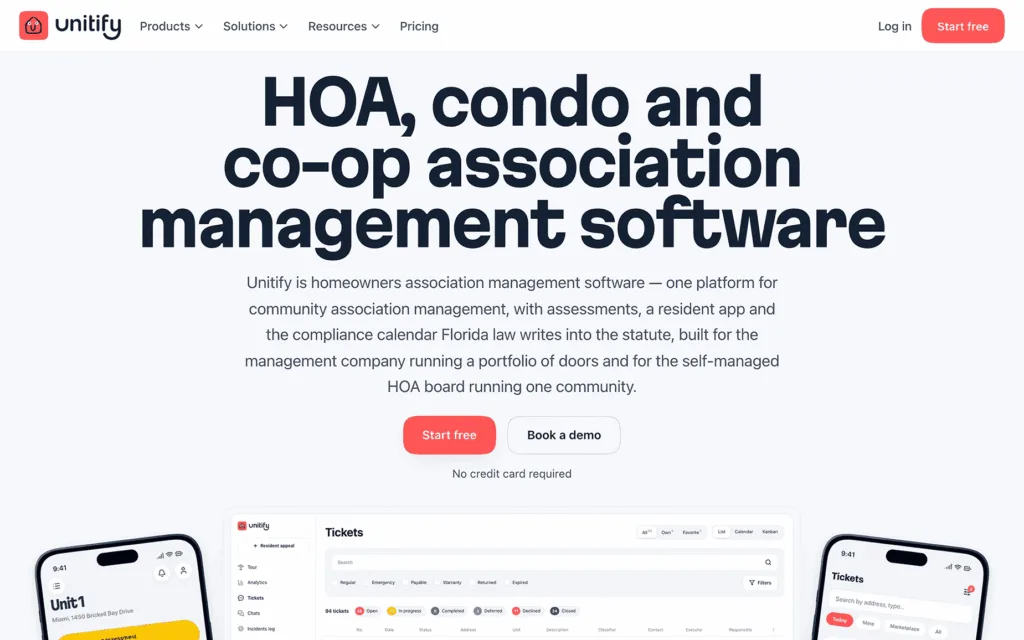
| Unitify | HOAs, condominiums, and co-ops | Request and violation tickets, assessments, payments, owner votes | Resident app; building website | Assessments and reserves billing, technician app, digital passes and shared-space booking |
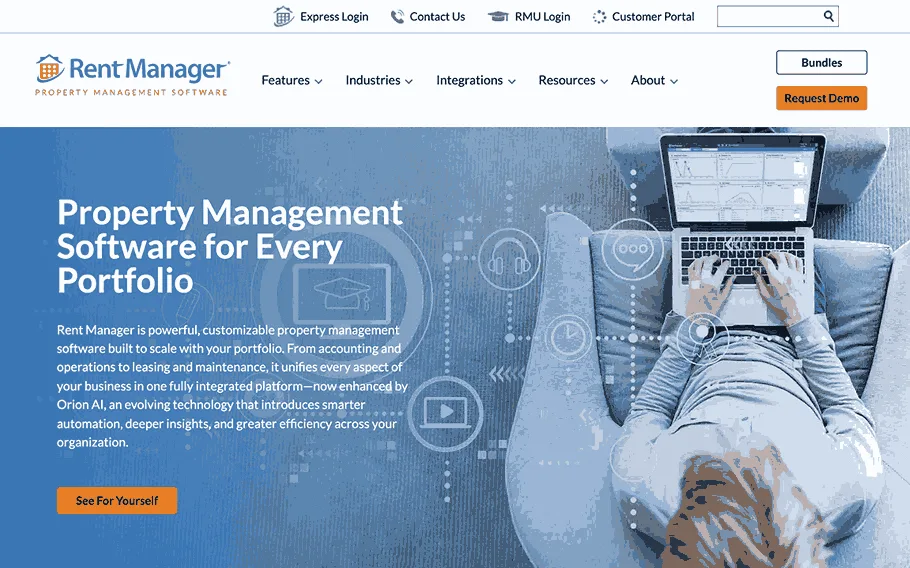
| Rent Manager | Residential, commercial, and association portfolios | Service issues, work orders, payments, inspections, violations | rmResident app | Cash and accrual accounting, 450+ reports, make-ready boards, owner portal |
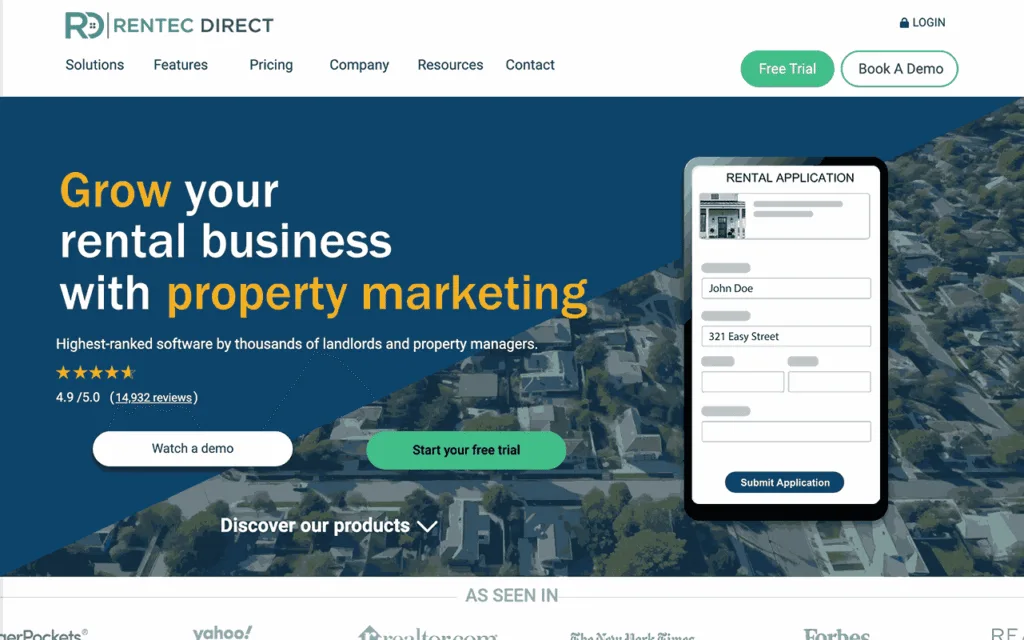
| Rentec Direct | Landlords and property managers | Rent payments, maintenance requests, lease files, general ledger | Tenant Portal; Resident Connect app | General ledger and trust accounting, tenant screening, listings on 20+ rental sites |
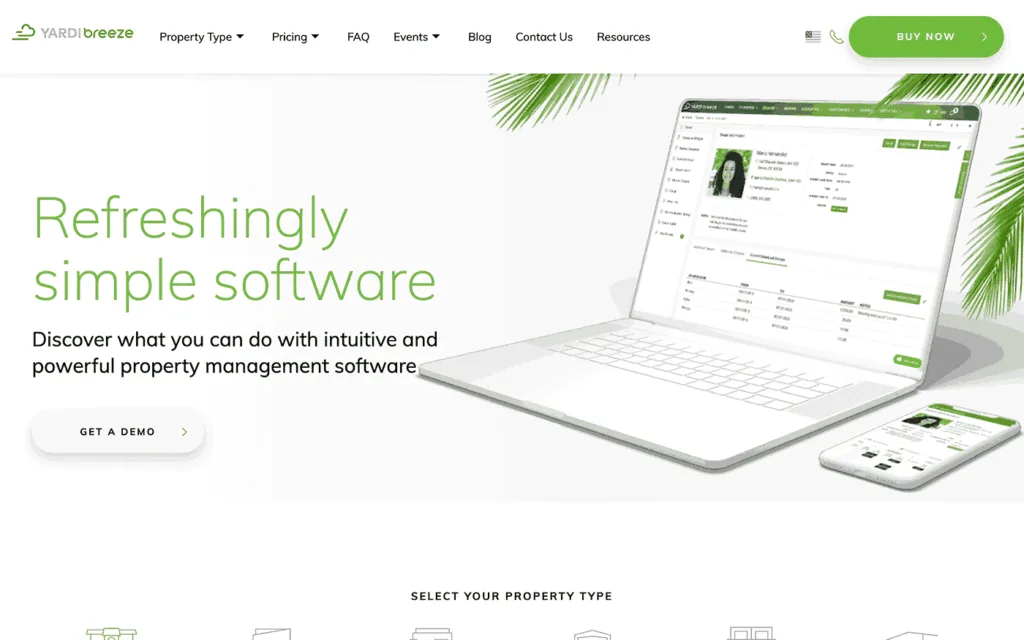
| Yardi Breeze (RentCafe) | Residential and commercial portfolios; associations on Breeze Premier | Rent and fee postings, delinquencies, maintenance requests, violations, special assessments | RentCafe resident portal | Escrow and trust accounting, online leases and screening, owner reports, 1099 e-filing |
AppFolio
AppFolio covers single-family, multifamily, student, affordable, association, and commercial portfolios. Residents use the FolioSpace portal and app from application to renewal: they finish move-in tasks, pay rent, submit maintenance requests, and read documents. On the association side, AppFolio records dues and assessments paid online, violations logged on site with photos, architectural reviews, and board approvals of invoices and contractor bids.
Buildium
Buildium was made for mixed portfolios and covers residential, mixed-use, student housing, commercial, and association properties. Tenants and homeowners pay online and file maintenance requests in the Resident Center, and ACH and card payments go straight to your bank account. Condos and HOAs get their own records: dues, violations, board and committee roles, and architectural requests that the committee votes on.
Unitify
Unitify is built for owner-occupied buildings and serves management companies and self-managed boards of HOAs, condos and co-ops. Landlords renting apartments to tenants will need another tool. Violations and architectural requests open as unit tickets with a status, an assignee, and a history. Owners pay assessments by card or ACH and vote in the resident app, and the records stay with the association if the management company changes.
Rent Manager
Rent Manager handles apartments, commercial space, associations, manufactured housing, student housing, and self storage. Service issues, work orders, and inspections live in one system, and field staff add violations with photos and track their progress. HOA, COA, and co-op board members vote on architectural requests in the homeowner portal. Tenants pay rent, set up autopay, and follow their maintenance requests in the rmResident app.
Rentec Direct
Rentec Direct lets tenants pay rent once or on a recurring schedule through the Tenant Portal or the Resident Connect app, send maintenance requests with photos, and open their lease there. Every property, tenant, and owner sits on a full general ledger. There are three editions: Starter for 10 or fewer properties, Pro for landlords, and PM for managers who need trust accounting and an owner portal.
Yardi Breeze
Yardi Breeze comes in two versions. Breeze covers U.S. residential and commercial properties, and Breeze Premier adds affordable housing, HOAs and condos, manufactured housing, and self storage. Breeze tracks recurring rent and fee postings, delinquencies, online leases, and maintenance requests with photos. For associations, the software keeps records of owners and board members, violations, fee schedules, and special assessments. Residents apply and pay rent through the RentCafe resident portal.
Conclusion
Rent and assessment emails go out every billing cycle, which makes them the place to start. Add the rest as you build out your templates.
FAQ
Should Property Managers Use a Noreply Address?
A noreply From address works only with a Reply-To on a live inbox, as Microsoft recommends for high-volume senders. Without one, replies land in an unmonitored mailbox or bounce, and tenants’ questions about charges go unanswered.
Should Rent Reminders Go by Email, Text, or App Notification?
If your platform offers more than one channel, let tenants pick one, and keep the amount, the due date, and the payment link the same in each.
Who Should Get Copies of Tenant Notices?
If your lease or management agreement calls for it, copy the unit owner and co-tenants on tenant notices. Rentec Direct, for example, can send those copies automatically. If your software has a similar option, set it up once so the copies go out with every notice.