
 27 november 2026, 14:50

Managing multiple clients can mean that tasks as simple as promoting a sale or creating and disseminating a welcome email can take up the entire day.
Different clients mean different audiences, different tools, and different expectations. The more campaigns you need to build from scratch and the more emails you need to send manually, the fewer clients you’ll be able to work with effectively.
This guide will show you how to break through this barrier. The crux of it is building automated workflows and using the right email marketing solutions, while preserving client branding and protecting their sender reputation.
Why Does Email Marketing Become Harder as Agencies Grow?
Scaling email marketing for agencies may seem like a matter of adding more emails to the sending schedule. In reality, each new client means another audience analysis, an additional brand voice, and a distinct set of business goals. Your team has to keep track of all these while meeting deadlines.
There’s only so much time in the day, and some of it has to be spent organizing work. An Anatomy of Work Global Index by Asana found that knowledge workers spent 58% of their time on “work about work,” including time spent organizing and coordinating work to get things done.
This statistic illustrates a problem agencies face: managing work leaves little time to actually do the work.
For email marketing teams, this usually builds in three areas:
- Repeated setup: Building templates, collecting brand assets, and configuring campaigns.
- Scattered information: Digging through messages and spreadsheets to find approved copy and audience info.
- Manual handoffs: Waiting for contacts to be exported, schedules to be set, or follow-ups to be started.
Little is left to wonder why delays become a frequent outcome, and why errors happen more often, including wrong marketing content being sent to clients.
A repeatable process for email marketing automation can give your team peace of mind. They’ll know exactly what’s expected of them, while routine tasks like sending a welcome email after signup will be handled by the system.
How to Scale Email Marketing with the Right Process and Software
While each client has different needs, the process of serving them can be similar. Standardize how your team gathers information and organizes projects for your clients. Then choose software that fits your workflow—a decision more businesses are making as demand for email marketing tools continues to grow.
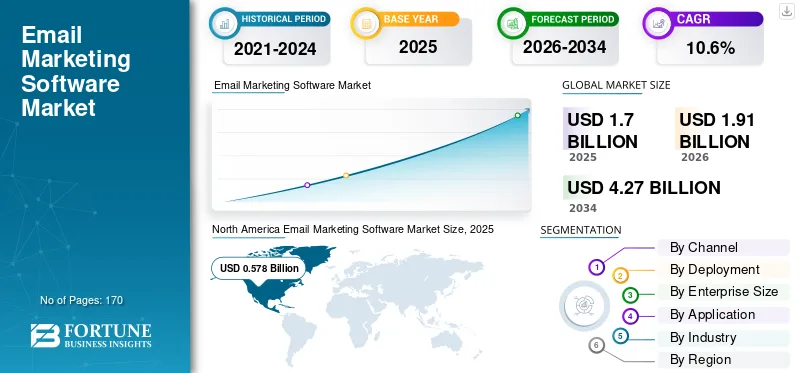
Source: Fortune Business Insights
Step 1: Standardize client onboarding and approvals
When your team misses a logo from your client or receives an unclear approval deadline, your whole campaign can be stalled. Give your team all the information they need to create the emails and campaigns by using a consistent checklist to onboard each client:
- What does the client want to achieve through marketing by email?
- Who are the target customer groups?
- What are the brand guidelines?
- What kind of emails has the client previously approved?
- What tools and access does the client have?
- Who is responsible for reviewing and approving emails?
To prepare the above information, create a shared client brief and request one point of contact on the client’s team to consolidate and approve feedback.
Your team should have a clear understanding of the expected timeline too. For a deadline to send emails on a Friday, you might expect feedback by Tuesday and final approval by Wednesday.
With email deliveries, many things can go wrong, and you’d appreciate having a little buffer before each important milestone. Also, have your team agree on the actions to take (e.g., change the send time of an email campaign) if the client does not give approval or information in time.
Step 2: Set up separate client projects and sending domains
Set up a separate project for each client within your email delivery platform. When selecting an email software for your agency, choose one that lets you manage client projects from a single account and gives you the ability to separate client templates.
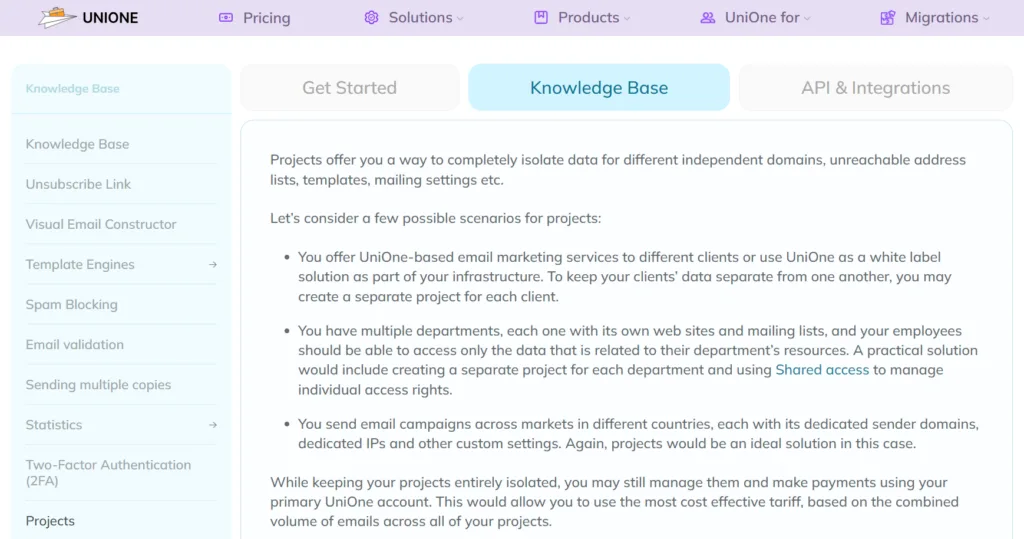
Use consistent naming conventions to simplify email campaign management across client accounts. For instance, you could name projects based on a client’s campaign or workflow, such as “Acme – Welcome Series.” Consistent naming conventions will help your team members access the necessary project management tools and retrieve the client’s data they need.
Lastly, verify that the name, email, and other details of the sender and the email recipient all belong to the same client. As you’ll have multiple unique projects, your team should be trained to verify these details.
Step 3: Create reusable templates for each client’s brand
For each client, develop a small library of templates for the most frequently sent emails.
For instance, you may consider creating templates for promotional offers, welcome emails, feedback requests, or newsletters. In newsletters, you could further include a reusable section highlighting the client’s articles on relevant websites, with a short takeaway and a link to each piece.
Then think of other elements you can reuse across different emails, such as a header and footer, FAQs, product specifications, and announcements. Maybe it’s worth creating templated versions of those too?
The same goes for the design, which usually includes a logo, brand colors, button styles, fonts, and image requirements.
For emails sent on behalf of a named contact, standardize the signature too. A clear, consistent signature helps recipients recognize who’s contacting them and know where to turn for help.
With this approach, your team can build email campaigns quickly and easily, and can focus more on strategic and process management tasks. They can also spend less time developing layouts and focus more on the message and offer.
How Can Agencies Automate Email Campaigns Across Clients?
The key is to connect client emails to the specific actions that should trigger them. Start with a few common scenarios, then adjust the audience targeting, content creation, and timing for each client.
Connect client CRMs to your email delivery service
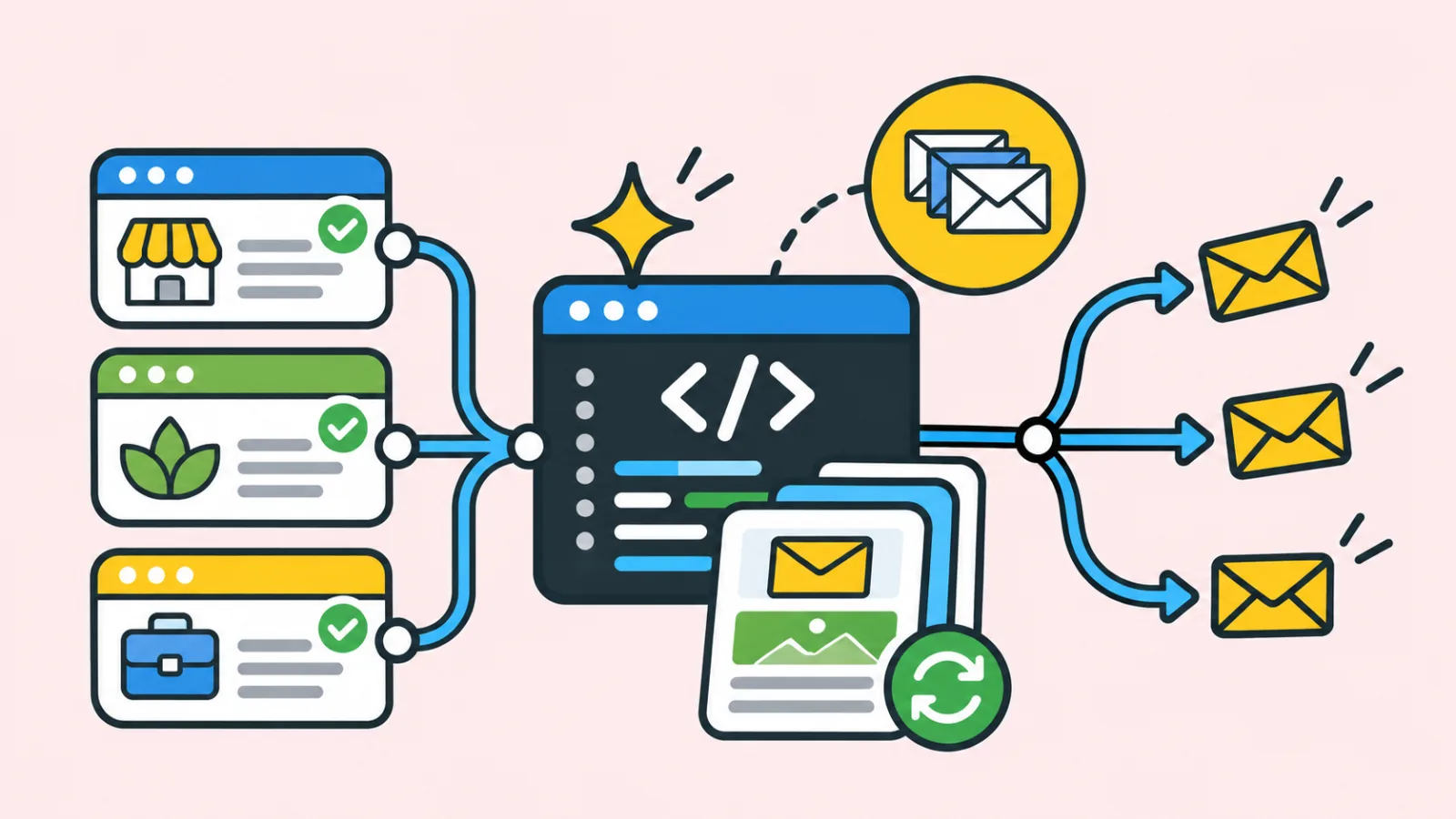
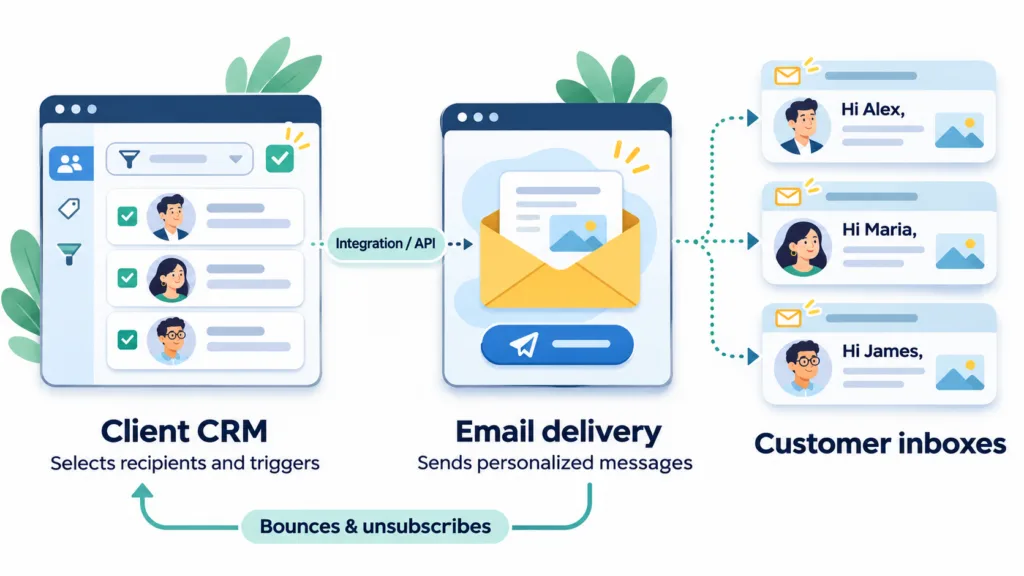
Your client’s CRM or marketing platform is a good source of information on their audience. If you manage to connect it to your email delivery service, you’ll be able to automatically request a send, and won’t need to export and import contacts manually.
The rules and responsibilities should be clear:
- The CRM or automation tool decides who qualifies for a message.
- The email delivery service sends the email according to specific triggers.
Depending on the tools used, they can be linked through an existing integration, an automation platform, or an API.
For each connection, map the fields your emails need, such as the recipient’s name, credentials, contact info, and language. Unsubscribe and bounce information should be fed back to the system to avoid future communication to those contacts.
Agencies that carry out email marketing under their own name can benefit from a white-label email service. The latter can supply their efficient delivery infrastructure, while leaving sending and tracking domains for the agencies’ branding.
Build welcome, follow-up, and re-engagement workflows
Many tasks in automated email marketing follow a similar pattern: a customer takes an action, qualifies for a message, and receives that message at the right time. Utilize this pattern to build reusable workflow structures:
- Welcome: Send an introduction message to the customer after they sign up, and send guidance on how to get started to help them with next steps.
- Follow-up: Send messages to customers with relevant information after they fill out a form to download a resource, or after they make an inquiry. The goal is to continue the conversation with a message that is based on how the customer responds initially.
- Re-engagement: Send messages after a long period of customer inactivity, and provide a reason to come back that is relevant to the customer’s business needs.
Define a trigger, delay, and exit condition for each sequence. For example, for a new user of a trial version, send a message providing guidance on how to set up the product, and send a reminder message if they fail to do so after a certain time.
But if they did pass the onboarding process, don’t send any more messages to avoid sounding overly salesy or intrusive. Customers need time and space to become comfortable with the new tool.
Test triggers and email personalization before launch
Test the workflow with sample focus groups to check if everything works as expected. A preview is only useful to see if an email looks right, but more needs to be done.
For example, checking whether the email is received by the right recipients and whether the time of receipt matches your expectations.
Run through a few scenarios:
- Trigger: Did signup or inquiry lead to the correct sequence? Were there any duplicate emails sent?
- Personalization: Check if all recipient names, unique and repeating links, and product information are correct.
- Timing: Are delays and time zones correct?
- Exit condition: Will follow-ups be stopped if the contact purchases, replies, or unsubscribes?
Make sure that test contacts do not receive messages that they should not receive. For example, an existing, loyal customer who routinely decides to download a resource should not receive messages intended for a prospect sequence. That could be very frustrating and build dissatisfaction with the service.
Check the client’s name, branding, and links in each of your test emails. Then save your test checklist and apply it whenever a client’s workflow, integration, or template changes.
How Do You Protect Deliverability as Email Volume Grows?
When your agency’s email dissemination volumes start to grow, looking at cumulative agency-wide performance indicators can be deceptive. You can easily skip significant issues for one or two important clients, e.g., spam complaints and rejected messages.
Fortunately, you can avoid these things at a systemic level.
At minimum, set up SPF, DKIM, and DMARC and configure authenticated sending domains. Correct DMARC alignment is especially important as it allows the receiving provider to verify that messages are authorized by the domain shown in the ‘from’ address.
But ideally, you should do more. For instance, you could make the following operations an important part of your routine:
- Increase dissemination volume gradually. Don’t allow sudden spikes in dissemination, as this may trigger spam filters. Send emails to engaged recipients first, e.g., people who have recently made a purchase or have subscribed.
- Keep recipient lists clean. Hard bounces, as well as unsubscribes, should be carefully tracked and documented. You can also catch some bad addresses (outdated, invalid, with errors, etc.) by validating email addresses regularly.
- Watch complaints and delivery failures. Investigate failure and complaint spikes for each client and each campaign. That way, you can spot problems and react before they grow into full-fledged disasters. This hygiene is also good for your agentic (institutional) memory, allowing you to prevent similar delivery failures in all future campaigns.
- Control overlapping sends. All sends should be scheduled to avoid a high volume of email being sent at the same time. One common scenario to avoid is overlapping scheduled campaigns with regular, automated email sequences.
“Delivered” doesn’t mean your message landed in the inbox. It might have been placed in the spam folder. So, you should monitor clicks and conversions instead to determine the real effectiveness of your messages. Many things also depend on your reputation as a sender.
Lastly, have a real employee do something about each alert. Just because an issue has been identified by your system doesn’t mean it has been automatically resolved. Instruct your employees to think critically in each particular case and, if required, adjust audience targeting, email personalization, or dissemination frequency.
Conclusion
New clients mean new expectations. However, your teams shouldn’t have to create new systems from scratch to meet those expectations. Streamlined onboarding, standardized project management system, and approved email templates make it easier to deliver work faster and more efficiently, while preserving each brand’s identity.
Email marketing automation is a big success factor here. It can focus on routing work and help free up team capacity to focus on more complex and creative tasks. But you will still have to roll up your sleeves and deliver messages that align with your client’s interests.
The process will also likely require you to constantly keep an eye on your clients’ feedback and evaluate how well your systems implement it.
Pick the task that requires the most effort to complete and develop the most efficient automation routine. Then test the new process with one client. If successful, share with other clients. The goal is to serve as many clients as possible without the need for more team members.
FAQs
Can a small agency manage email marketing for dozens of clients?
Yes, but the actual workload still has to fit the agency’s capacity. A small agency can significantly enhance its capacity to handle multiple clients by using templates and workflows for emails, standardizing and documenting onboarding, and relying on an efficient client management system to improve processes and handle new clients. This will reduce the need for repetitive work.
Which email marketing workflows should agencies automate first?
Agencies should focus their resources on automating common workflows such as new client onboarding and follow-ups to inquiry emails. Most agency email marketing work is a repetition, and this should be well-documented, standardized and practiced to perfection. After testing and implementing a workflow for a client, see how you can adapt it to fit other clients with similar needs.
Can agencies reuse the same email templates across clients?
You can use the same basic layouts and content blocks for different clients, but of course make changes for the client’s branding, offers, links, and copy. Approved email templates should be preserved for each client to avoid mix-ups.
How much oversight do automated email campaigns need?
Relying too much on campaign automation is not wise. Test and review campaigns to be certain they are targeting the right audience and not delivering outdated content. You should always keep a human expert in the loop who will check and adjust campaigns when a client makes changes to their offers, customer journey, and connected tools.