
 30 june 2026, 21:35
When configuring an email client or application, you will encounter a lot of cryptic settings, including POP3, SMTP, and IMAP. Which option will you choose, and why?
Don’t worry if you don’t yet understand these terms and how they affect your email setup. In this article you’ll discover whether SMTP or IMAP is the right option for you. We’ll assist you in understanding the differences between SMTP, POP3 and IMAP.
What Is an Email Protocol?
First, what is email protocol? An email protocol is a set of rules that governs how email clients and servers communicate.
Think of it as a shared language. Without it, your email app and the mail server it connects to would have no agreed-upon way to exchange data.
Every time you send or receive an email, at least one protocol is working in the background. Your client uses one protocol to send the message out and another to retrieve incoming messages from the server. These email protocols define everything, from how the connection is established to how data is formatted and transferred. SMTP handles how email moves between servers. POP3 downloads messages to your local device, while IMAP keeps your inbox in sync across every device you use.
Advantages of Using Email Protocols
Email protocols ensure compatibility across different email systems and help maintain a secure, private line of communication. Here are the main benefits:
- Protection from security threats: Modern email protocols support encrypted connections, which shields your messages from interception during transmission. SMTP, IMAP, and POP3 all have secure variants that use TLS or SSL to protect data in transit.
- Reduced financial risks: A properly configured protocol setup reduces the likelihood of phishing attacks, spoofing, and unauthorized access, all of which carry financial consequences for businesses.
- Compatibility across different email systems: Email protocols are standardized, so a message sent from one client or server can be reliably received by another, regardless of the software involved. This is what makes it possible to send from Gmail to Outlook without any formatting or delivery issues.
- Reliable delivery and error reporting: Email protocols log failed delivery attempts and send bounce notifications back to the sender. This helps you know immediately when a message does not reach its destination, and you can take steps to fix it.
- Compliance with regulations: Many industries have data protection requirements that mandate secure email communication. Using the right protocols, with encryption enabled, helps organizations meet standards like GDPR and HIPAA.
All of this starts with understanding which email protocol does what, as we’ll see in the next section.
Email Protocol Types: SMTP, IMAP, and POP3 Overview
| SMTP | IMAP | POP3 | |
|---|---|---|---|
| What it does | Submits or transfers email | Retrieves email and keeps a copy on the server | Downloads the email to your device and removes it from the server |
| Direction | Outgoing | Incoming | Incoming |
| Works across multiple devices | N/A | Yes | No |
| Offline access | No | No | Yes |
| Default port | 25, 465, 587 | 143, 993 (SSL) | 110, 995 (SSL) |
IMAP and POP3 are mail protocols that allow you to retrieve emails, while SMTP enables you to send them. You’ve got it right: your email client application needs two mail protocols to work properly! When setting up your software, you usually need to provide the server name, port, and login credentials for both.
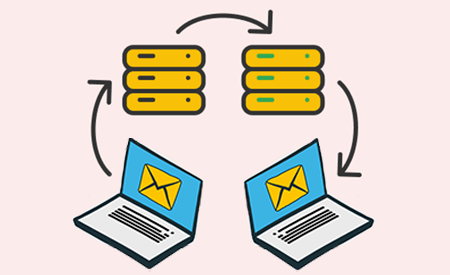
Here’s how SMTP and IMAP/POP3 cooperate to transfer an email message:
- After you compose an email, your email client will use SMTP to transmit the message to an email server.
- The email server will then send the message to the recipient’s email server using SMTP.
- If the SMTP transmission is successful, the recipient’s email client will retrieve the message using IMAP or POP3 and store it in the recipient’s inbox.
What Is POP3 and How Does It Work?

POP3 (Post Office Protocol version 3) is a standard protocol for retrieving email messages from a remote server.
It enables the client software to download email messages to your local computer and later access them offline. POP3 is also capable of deleting messages from the server.
POP3 uses two well-known ports by default:
- Port 110 is used for non-encrypted connection;
- Port 995 defaults to secure connection.
What Is IMAP and How Does It Work?

Internet Message Access Protocol (IMAP) is an alternative protocol that also allows client software to access a mailbox on a remote web server.
IMAP is newer, more feature-rich, and also more complex to implement. Unlike POP3, it defaults to keeping the original message on the server. It has built-in support for message flags and mailbox folders and is capable of downloading selected parts of a message.
With IMAP, the same mailbox can be simultaneously accessed by multiple clients, while POP3 allows only one connection per mailbox.
By default, IMAP protocol uses one of these two ports:
- Port 143 is the default non-encrypted IMAP port;
- Port 993 is the port used for a secure connection.
What Is SMTP and How Does It Work?

The acronym SMTP stands for Simple Mail Transfer Protocol, and it’s the standard protocol for sending emails. It allows you to send, relay, or forward messages from an email client (such as Microsoft Outlook) to an email server.
A sender connects to an SMTP server to carry out the process of sending an email message. The exchange follows an SMTP command and response pattern.
The client issues a command, the server replies with a status code, and the process continues until the message is fully transferred. An email server uses the same protocol to relay messages to another server.
By default, SMTP uses these ports:
- Port 25 is the default SMTP port for communication between servers; some providers may also use port 2525;
- Ports 465 and 587 are mostly used by client software.
For a deeper look at how SMTP works, see this detailed guide on What is SMTP and how it works.
Email Protocol Ports: SMTP, IMAP, and POP3
Every email protocol communicates through a specific port on the mail server. Think of ports as separate doors on the same building, with each one reserved for a different type of traffic.
Here is a breakdown of the default ports for each protocol:
| Protocol | Port | Encryption | Use |
|---|---|---|---|
| SMTP | 25 | None | Server-to-server email transfer |
| SMTP | 587 | TLS | Sending email from a client (modern default) |
| SMTP | 465 | SSL | Sending email from a client (legacy) |
| IMAP | 143 | None | Retrieving email without encryption |
| IMAP | 993 | SSL/TLS | Retrieving email securely |
| POP3 | 110 | None | Downloading email without encryption |
| POP3 | 995 | SSL/TLS | Downloading email securely |
Port 587 is the modern default for sending email from a client and the one you will use in most setups. Port 25 handles server-to-server transfers and is not meant for client use.
Ports 993 and 995 are the secure ports IMAP and POP3, respectively. If your email client gives you a choice, always pick the SSL option.
Understanding these SMTP ports helps when troubleshooting delivery issues or configuring a new email client.
IMAP vs POP3 vs SMTP: Key Difference
Since you already know what each protocol for email is capable of, you can easily see the differences.
SMTP only handles outgoing mail. It cannot retrieve messages, so it always works alongside either IMAP or POP3. Without SMTP, your emails stay on your device and never leave.
The real comparison is between IMAP and POP3 mail protocols, since both handle incoming mail.
IMAP keeps your messages on the server and syncs them across every device connected to your account. POP3 downloads everything to one device and removes it from the server. If you read an email on your phone using IMAP, it shows as read on your laptop too. With POP3, that same email exists only on whichever device downloaded it first.
For most people today, IMAP is the practical choice. It fits how we use email across phones, laptops, and tablets. POP3 is supported for backward compatibility and still has a place for anyone who needs offline access on a single device or wants to keep server storage low.
What Is the Protocol for Sending Email Messages?
Simple Mail Transfer Protocol (SMTP) is the standard method for transferring emails between mail servers. It is the only dedicated email-sending protocol.
SMTP was originally built without security or authentication requirements. Early versions had no way to verify who was sending a message, which is part of why spam became such a persistent problem.
Modern SMTP servers address this with authentication layers and encryption, but the core protocol itself remains focused purely on transmission.
Which Email Protocol Should You Use?
SMTP is not really a choice, as it’s the standard for sending email and you will use it regardless. The decision you need to make is between IMAP and POP3 for receiving mail.
Go with IMAP if you check your mailbox on more than one device. It keeps everything in sync, so an email you read on your phone shows up as read on your laptop, and anything you delete or move updates everywhere.
POP3 makes sense if you work from a single device and want your emails stored locally. It also keeps your server storage low, since messages are removed from the server after download. For anyone working in a low-connectivity environment, POP3 lets you read your emails without needing an active internet connection.
For most setups today, IMAP paired with SMTP is the standard combination. It covers sending and receiving, works across devices, and is what providers like Gmail and Outlook default to when you set up a new account.
Summary of the SMTP, IMAP, and POP3 Email Protocols
Here is a quick recap of the three core email protocols:
- SMTP is the foundational sending protocol. Mail servers and clients use it to send and relay emails to their destination.
- POP3 and IMAP both handle retrieval. POP3 is the older of the two and downloads messages directly to your device, while IMAP is more advanced and keeps messages on the server so you can access them from anywhere.
All three email protocol types support encrypted and non-encrypted connections. Always use an encrypted connection to protect your messages and login credentials.
FAQs
What are email protocols used for?
Email protocols are sets of rules that govern how email clients and servers communicate. They define how messages are sent, retrieved, and stored across different systems. Without them, an email sent from one provider would have no standardized way to reach a recipient on another provider. The three main protocols are IMAP and POP3 for receiving, and SMTP for sending.
What ports does SMTP use?
SMTP uses several ports depending on the type of connection. Port 25 handles server-to-server email transfer.
Port 587 is the modern standard for sending email from a client to a server and is the one you will use in most configurations. Port 465 is an older alternative that uses SSL encryption.
What is the safest email protocol?
No single protocol is inherently the safest, but how you configure each one matters a great deal. Email protocols support encrypted connections using TLS or SSL.
For SMTP, port 587 with TLS is the secure standard. For IMAP, port 993 uses SSL. For POP3, port 995 uses SSL. Using encrypted ports across all three protocols gives you a secure setup from sending through to retrieval.
What is the difference between POP3 and IMAP?
POP3 downloads your emails to a single device and removes them from the server. Once downloaded, you can read them offline, but they will not be accessible from any other device. IMAP keeps your messages on the server and syncs them across every device connected to your account.
Can SMTP receive emails?
No. SMTP is designed exclusively for sending email. It handles the transmission of messages from a client to a server and between servers, but it has no ability to retrieve or store incoming mail. To receive emails, you need either IMAP or POP3 configured alongside SMTP.
Which email protocol is best for business?
IMAP is the better fit for most business setups. It keeps emails on the server, syncs across devices, and allows multiple users to access the same mailbox without conflicts. This makes it practical for teams where more than one person manages a shared inbox. SMTP handles the sending side and is non-negotiable regardless of team size.